
TradFi Earn is a Bybit Earn product that allows you to invest in tokenized Real-World Assets (RWAs), such as bond funds managed by institutional asset managers, directly from your Bybit account using stablecoins.
This guide explains how to subscribe to a TradFi Earn product, view your holdings, and redeem your investment.
How to Subscribe to a TradFi Earn Product
Step 1: On the Bybit homepage, go to More → Bybit Earn → TradFi Earn.
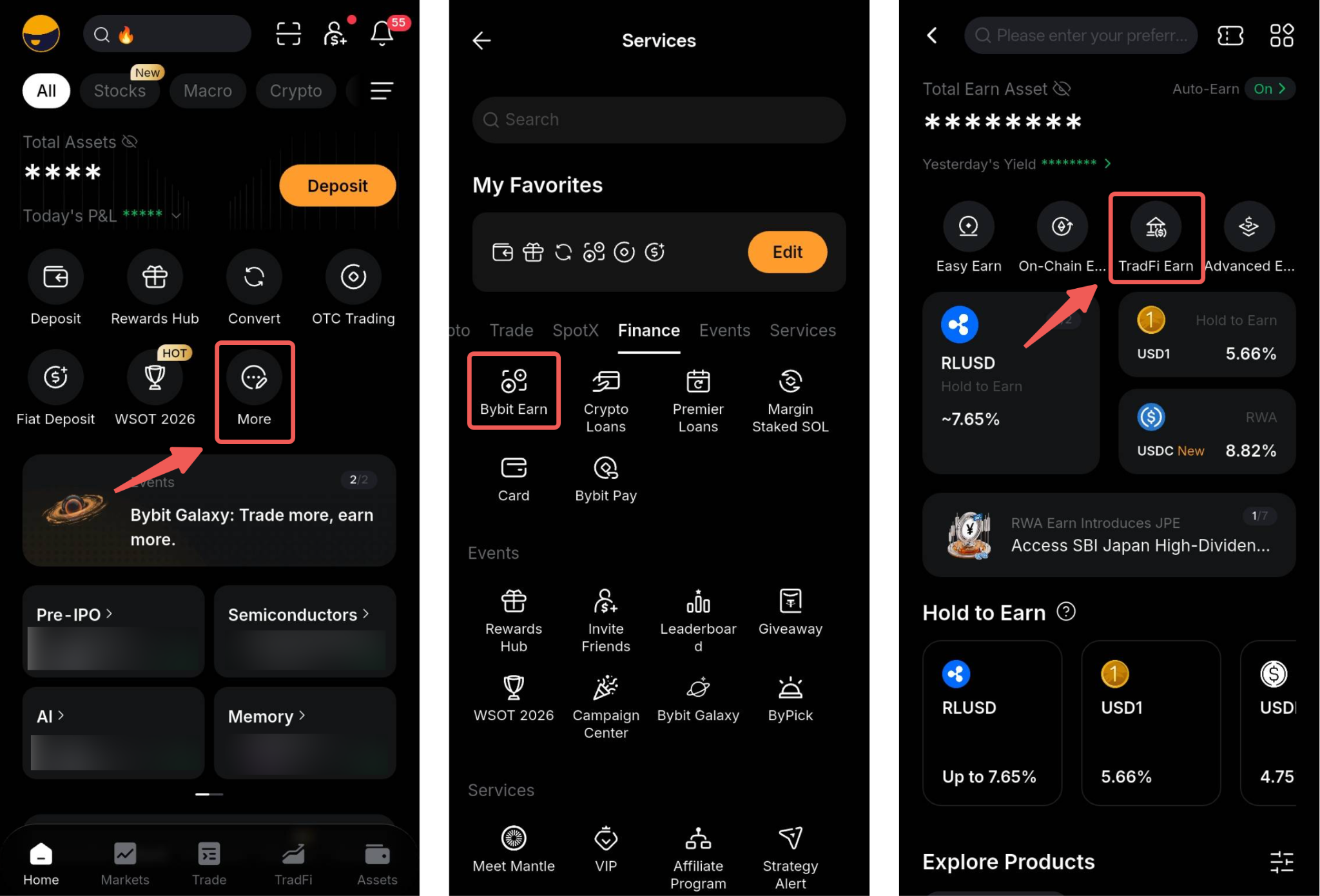
Step 2: On the TradFi Earn page, browse the product categories and select a product to view its trading or product details page.
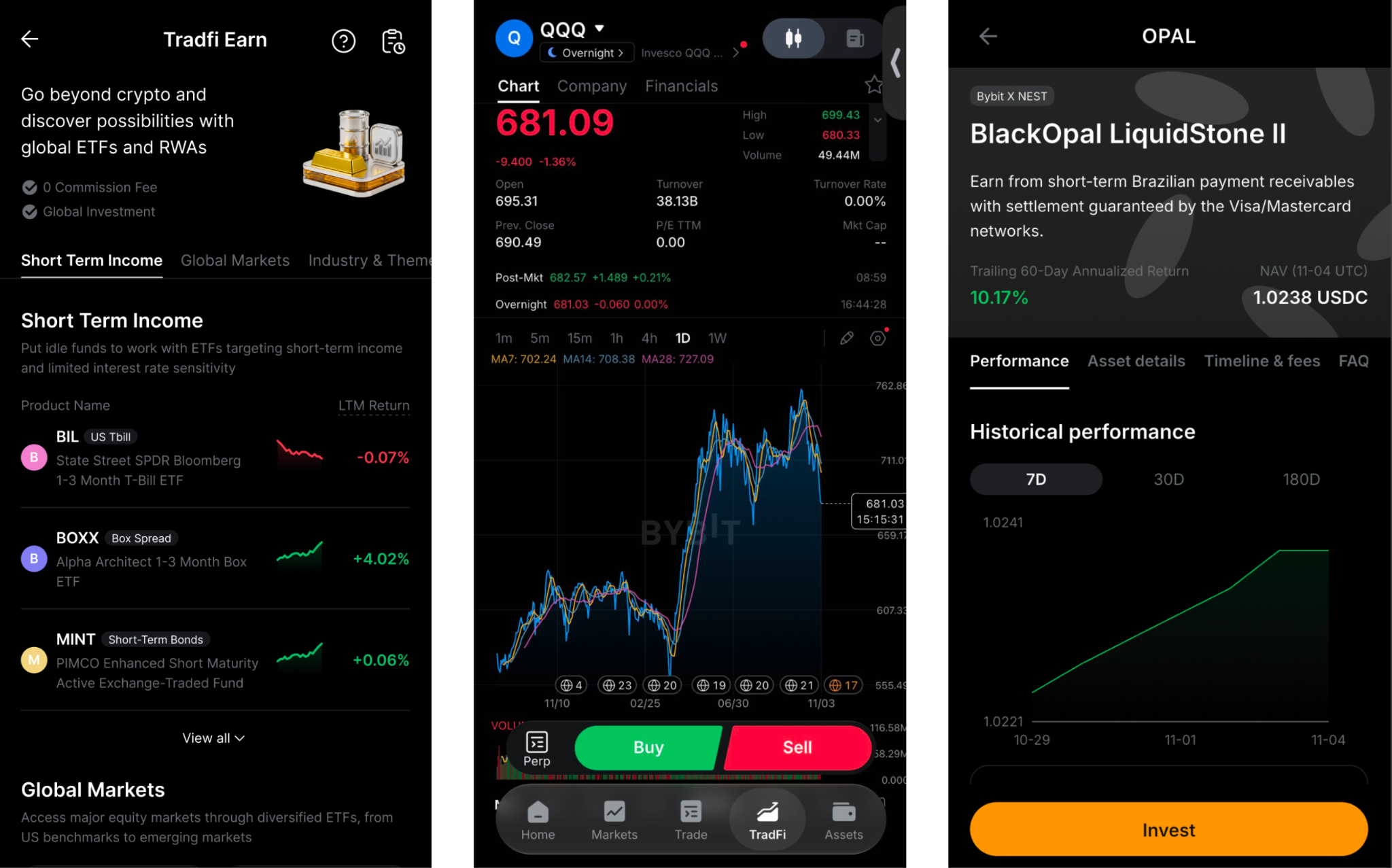
Notes:
— ETFs take you to the Bybit Stocks trading page. They are securities investments, not Earn yield products.
— RWA products are Earn products. You can view their past performance through changes in net asset value (NAV) on the product page. To invest or exit, follow the applicable subscription and redemption procedures.
Step 3: If you select an ETF, refer to this article for steps on Bybit Stocks trading.
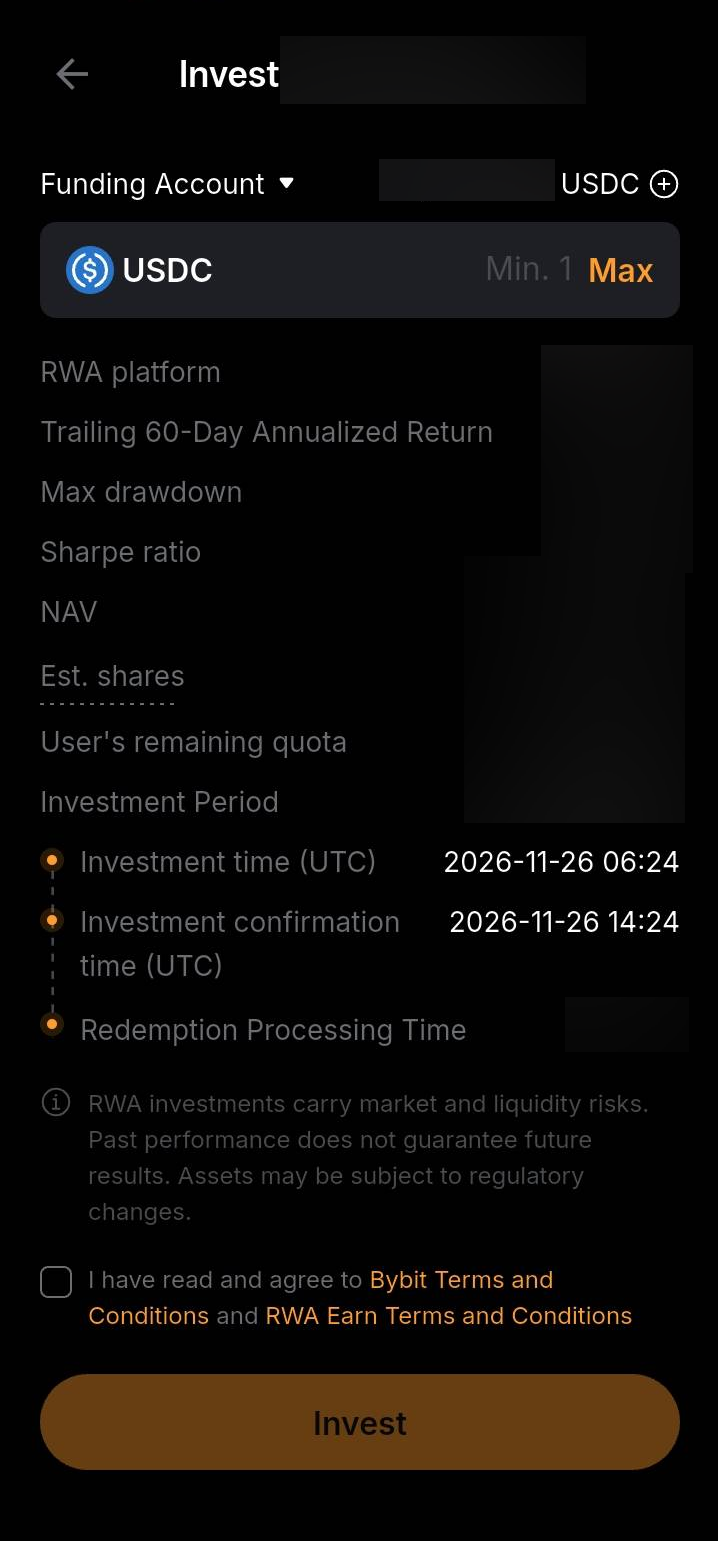
If you select an RWA product, enter the amount you wish to invest. The estimated number of shares will be calculated automatically. Read and agree to the Bybit Earn and RWA Earn Terms and Conditions, then tap Invest to proceed.
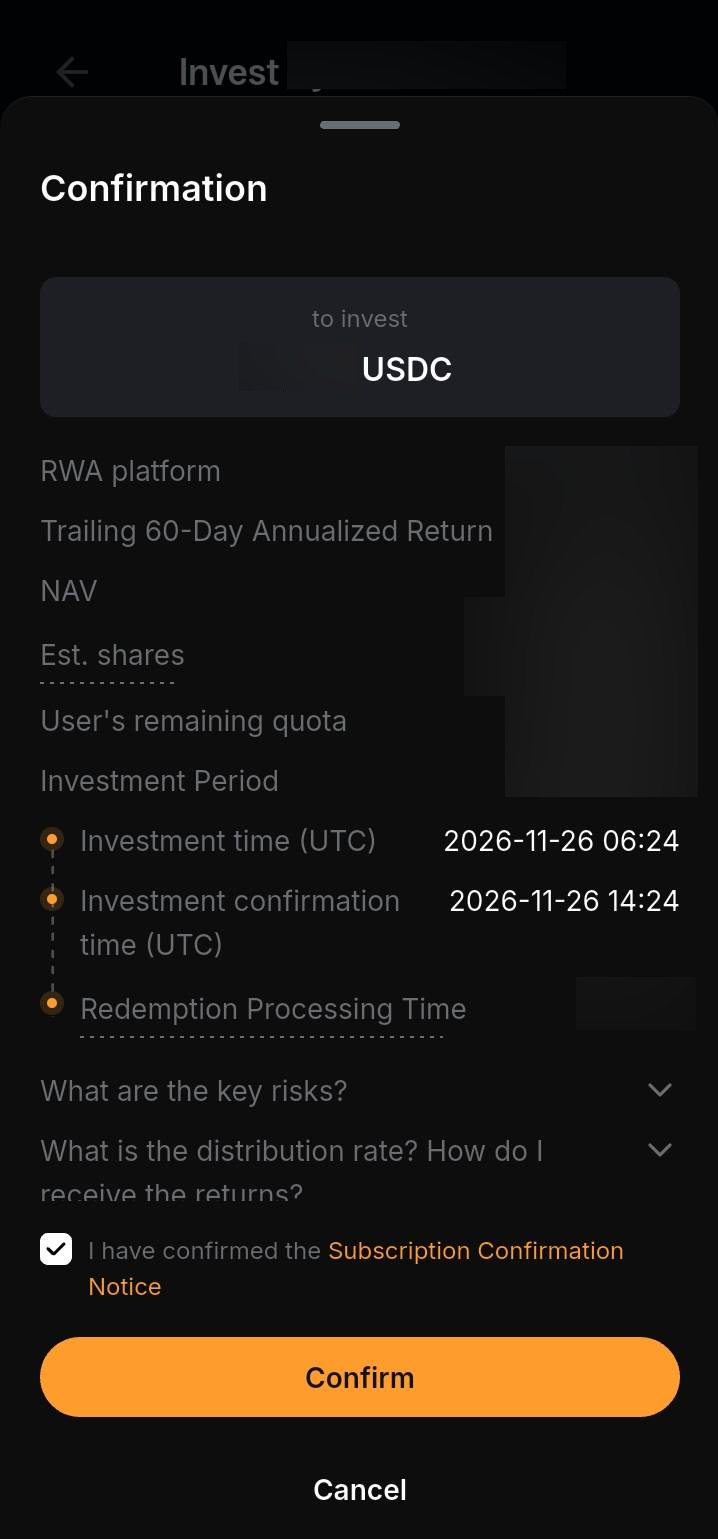
Step 4: A confirmation window will appear. Check on your order information. Read and agree to the Subscription Confirmation Notice, then tap Confirm to proceed. Otherwise, tap Cancel to return and modify your order.
Once your subscription is successful, tap View My Order to review your subscription details, or tap Invest More to continue investing.
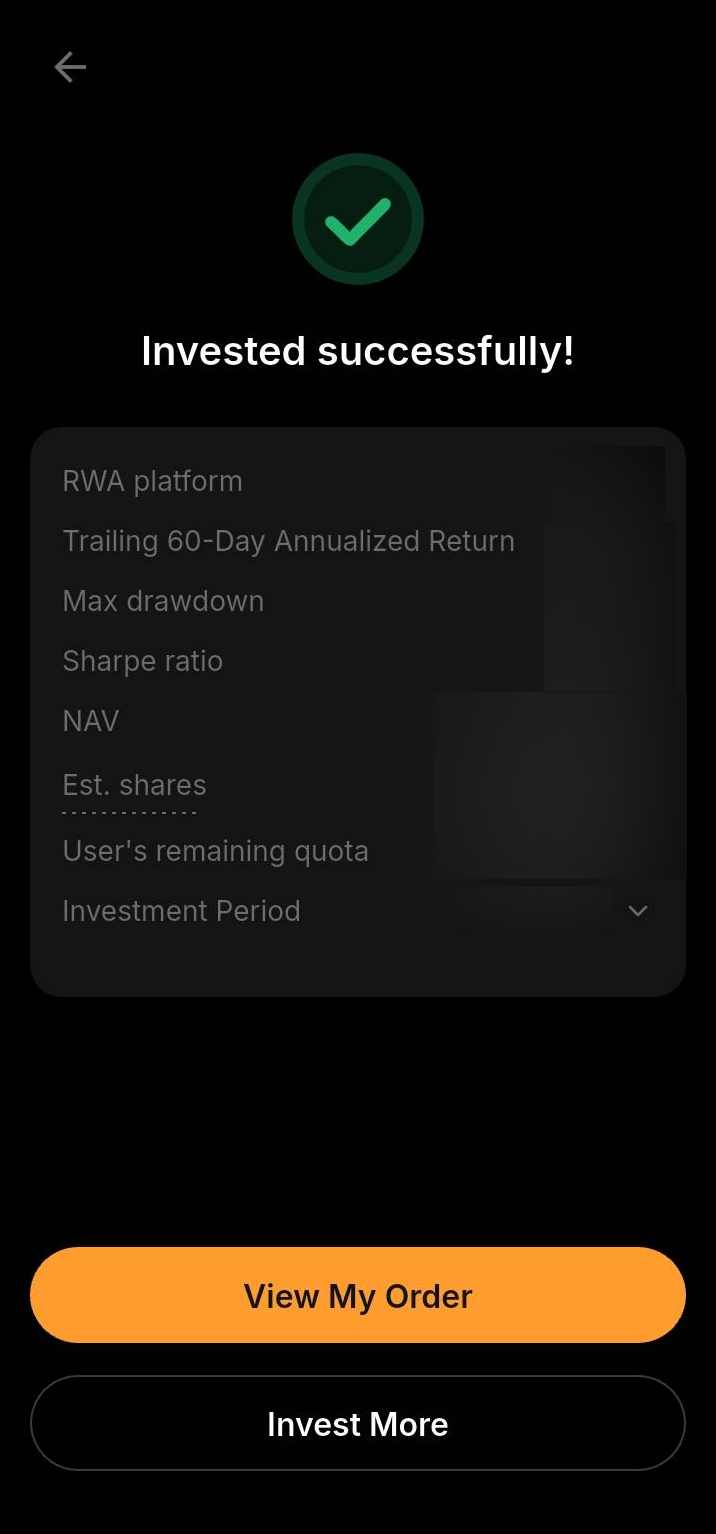
Your order page will display details such as the product name, number of shares, investment amount, order time, order status, and order number.
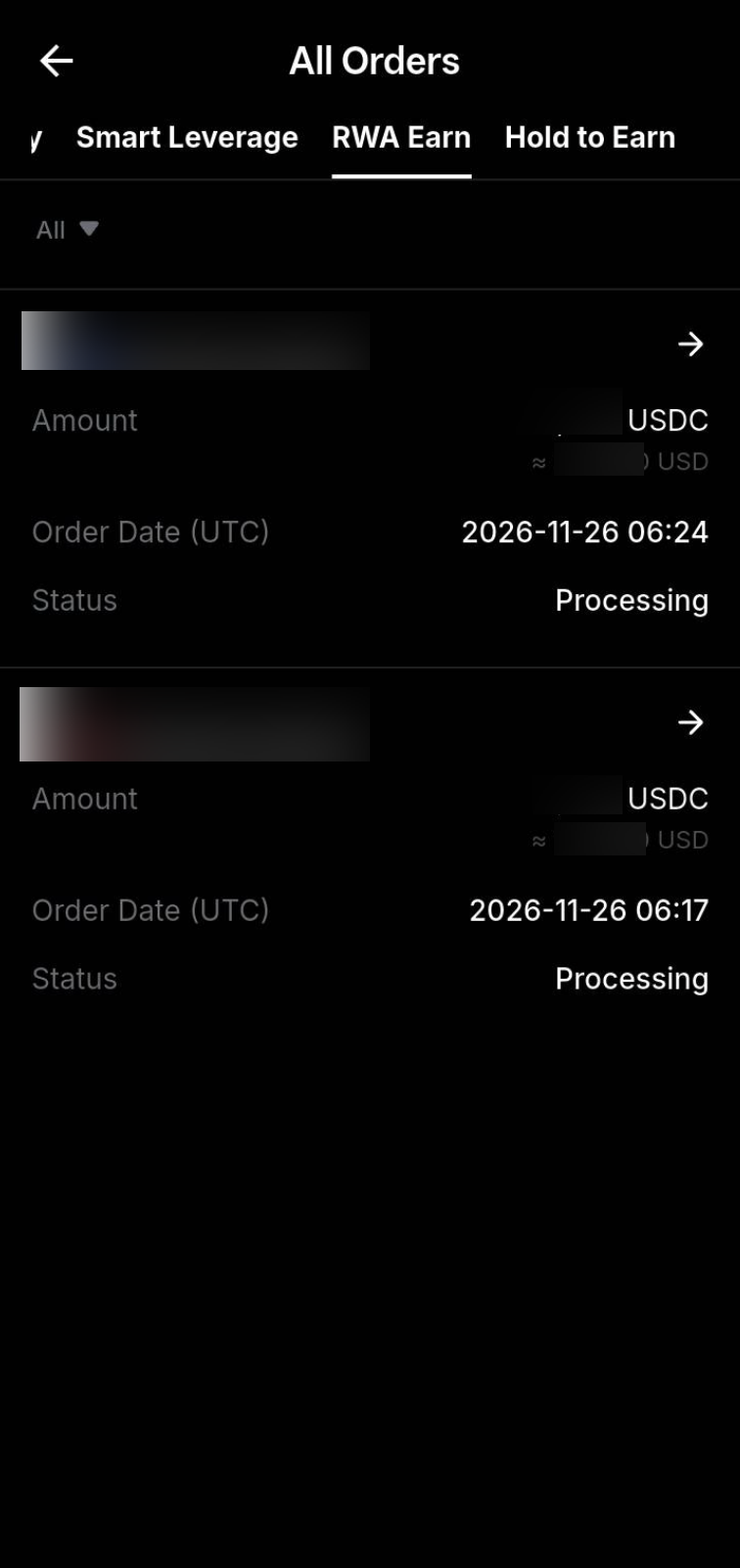
Note: Subscription orders are processed approximately every 24 hours.
How to View Your Holdings
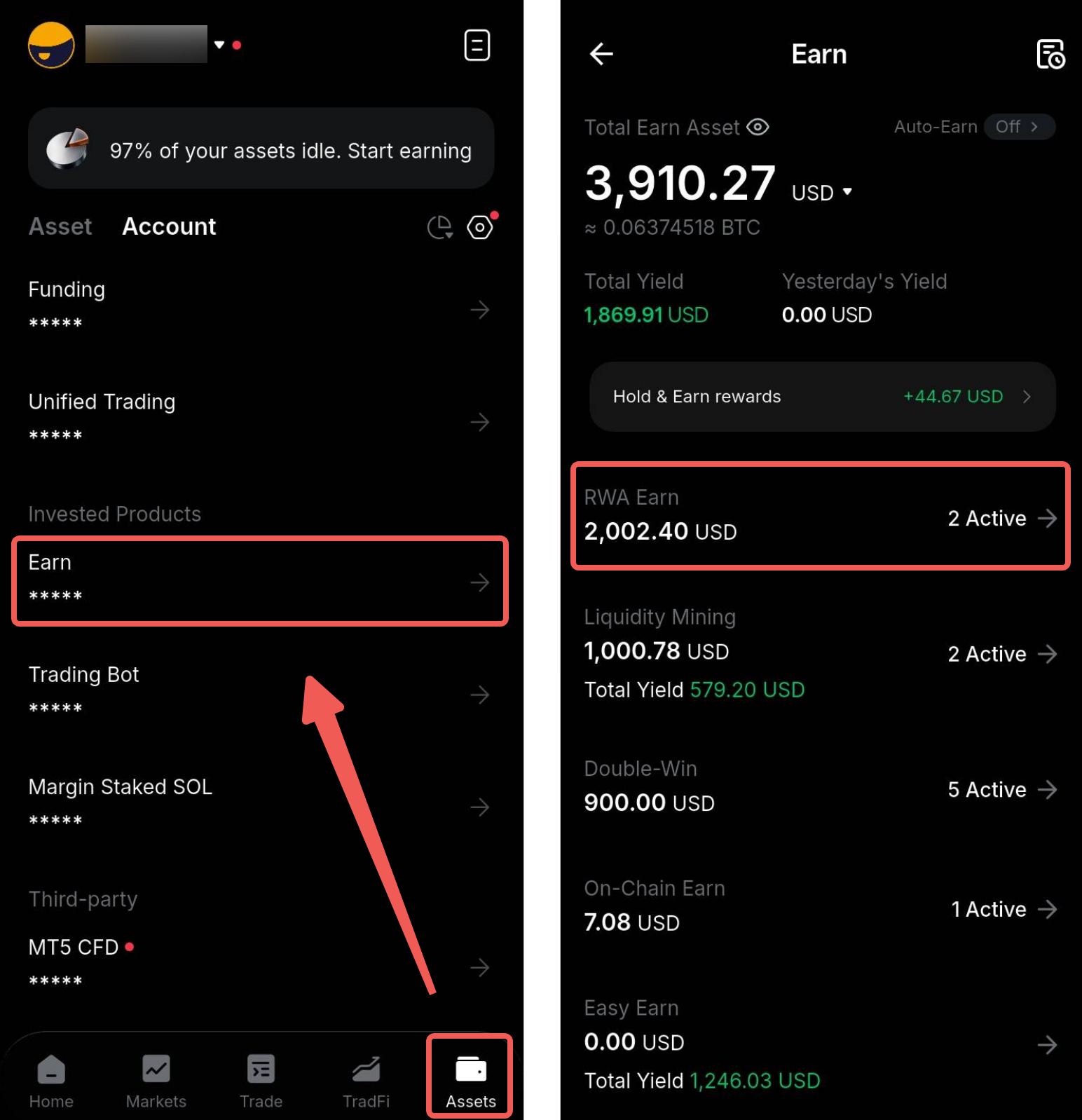
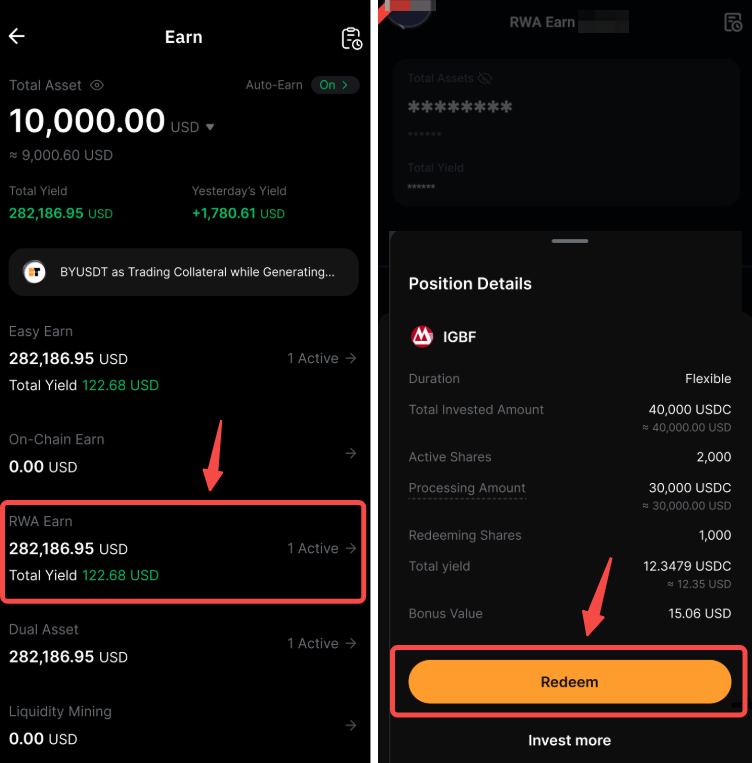
Step 1: Tap Assets in the bottom navigation bar, then go to Earn → RWA Earn.
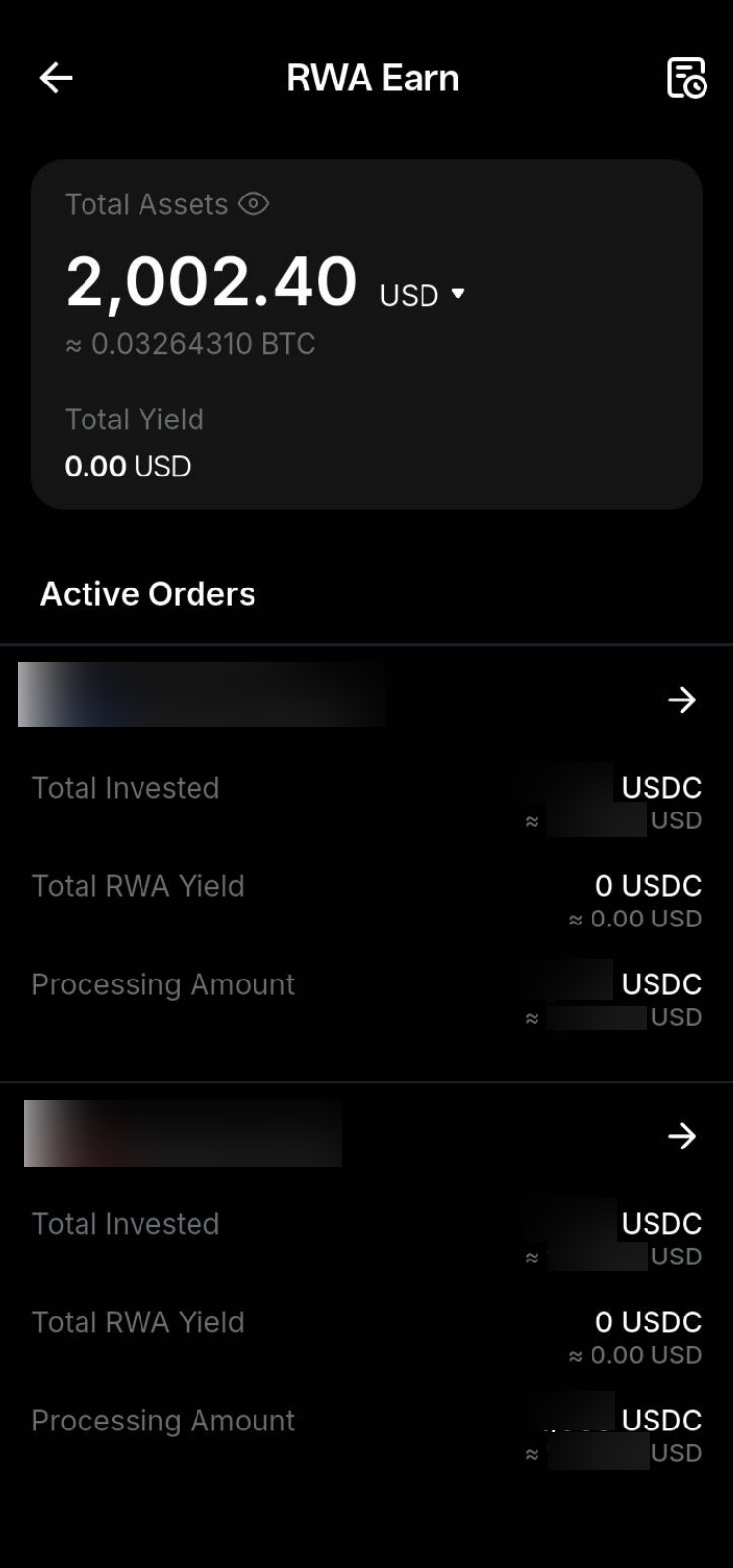
Step 2: Your active RWA Earn positions will be displayed here. Tap a position to view details such as the product name, shares held, investment amount, and current status.
Note:
— To view your ETF holdings, go to Assets → Unified Trading Account → Stocks. Select a holding to check its current value, or tap Buy or Sell to access the trading page.
How to Redeem Your Holdings
Step 1: From the Earn holdings page, select the RWA position you wish to redeem and tap Redeem.
Note:
- If you would like to increase your investment instead, tap Invest More.
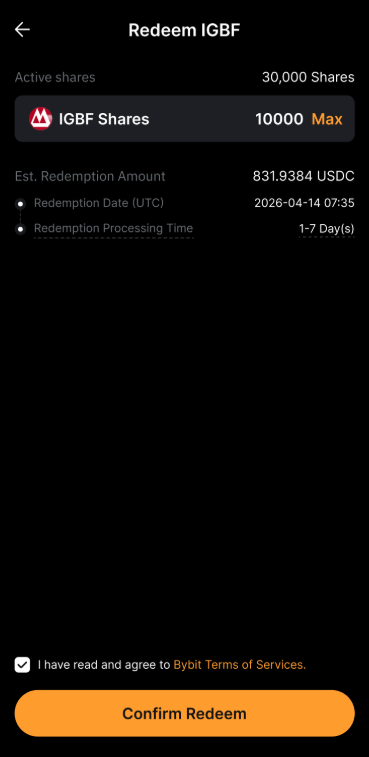
Step 2: Enter the number of shares you wish to redeem, then read and agree to the terms and conditions for Bybit and RWA Earn.
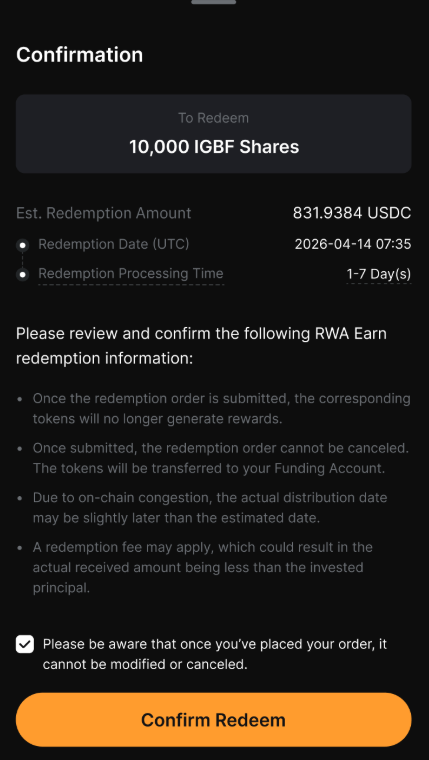
Step 3: A confirmation window will appear. Read and agree to the relevant terms and conditions, then tap Confirm Redeem.
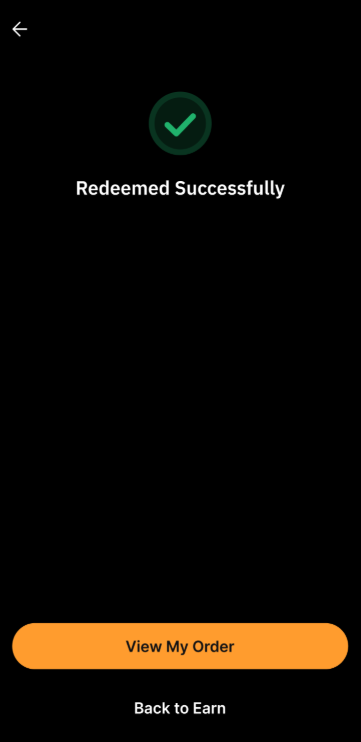
Once your redemption request has been submitted successfully, tap View Order to track its status.
Notes:
- Redemption requests typically take 1–7 business days to process.
- Redemption orders cannot be canceled once submitted.