
To support document updates due to expiration or address changes, Bybit provides self-update options based on your KYC level, allowing you to update your documents without resetting your existing KYC verification.
How to Update Your Proof of Identity (POI)
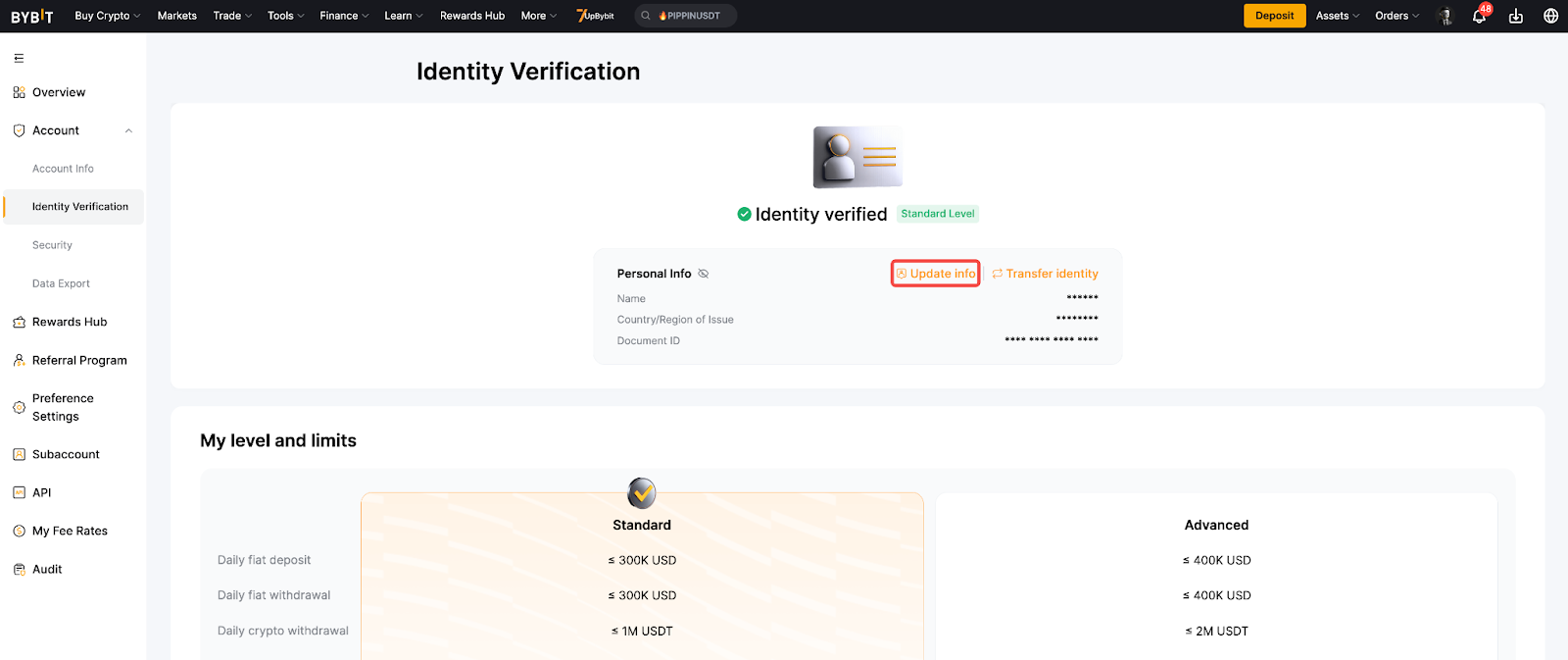
Step 1: Hover your cursor over your profile icon and click on Account. Next, select Identity Verification page and tap Update Info.

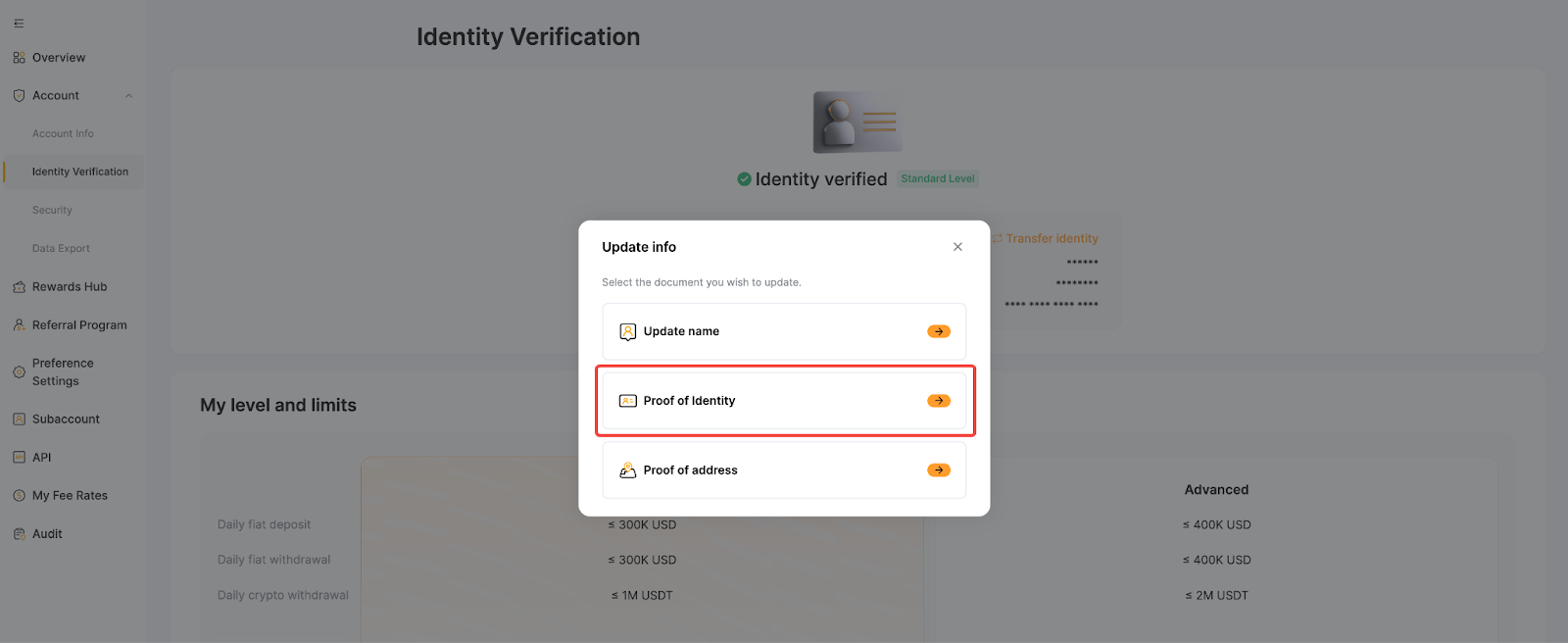
Step 2: Select Proof of Identity.
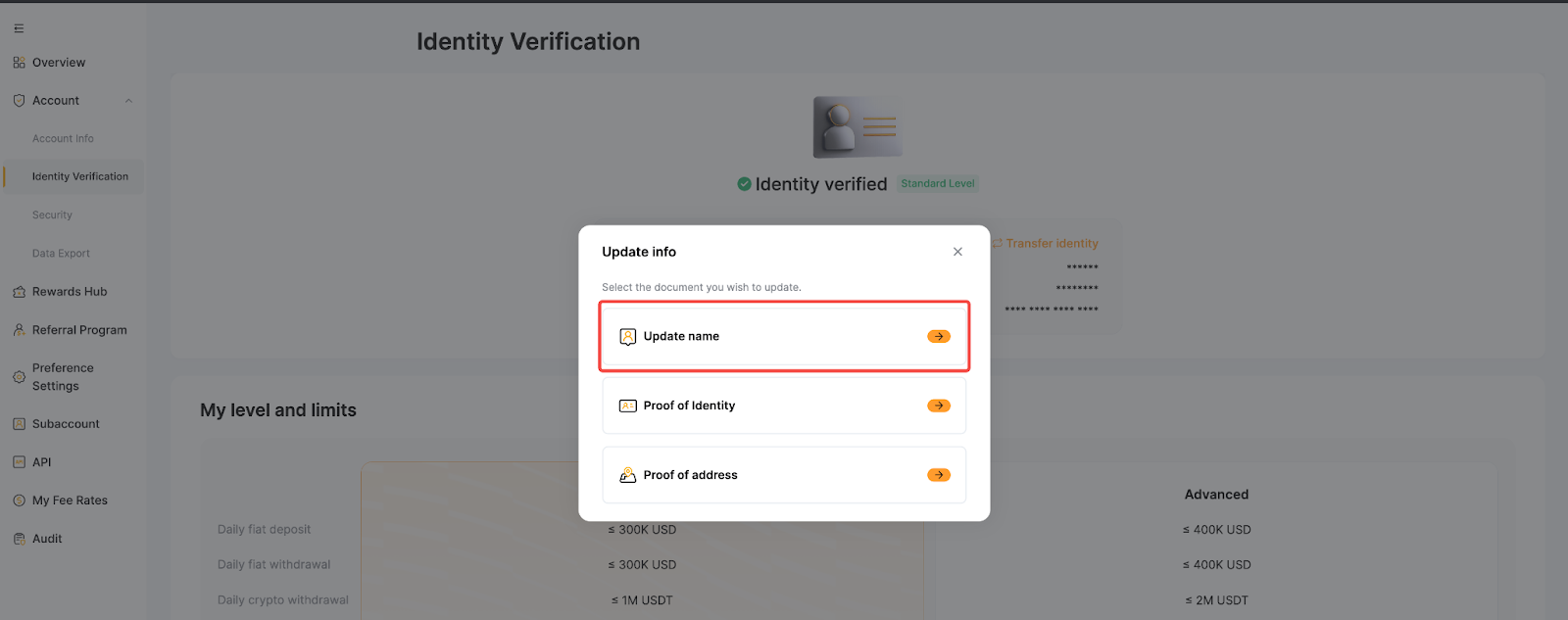
Notes:
- You cannot update your Proof of Address without completing the Advanced Verification.
- You can update your name by tapping Update name if there are character recognition issues, an incorrect name order, or extra characters.
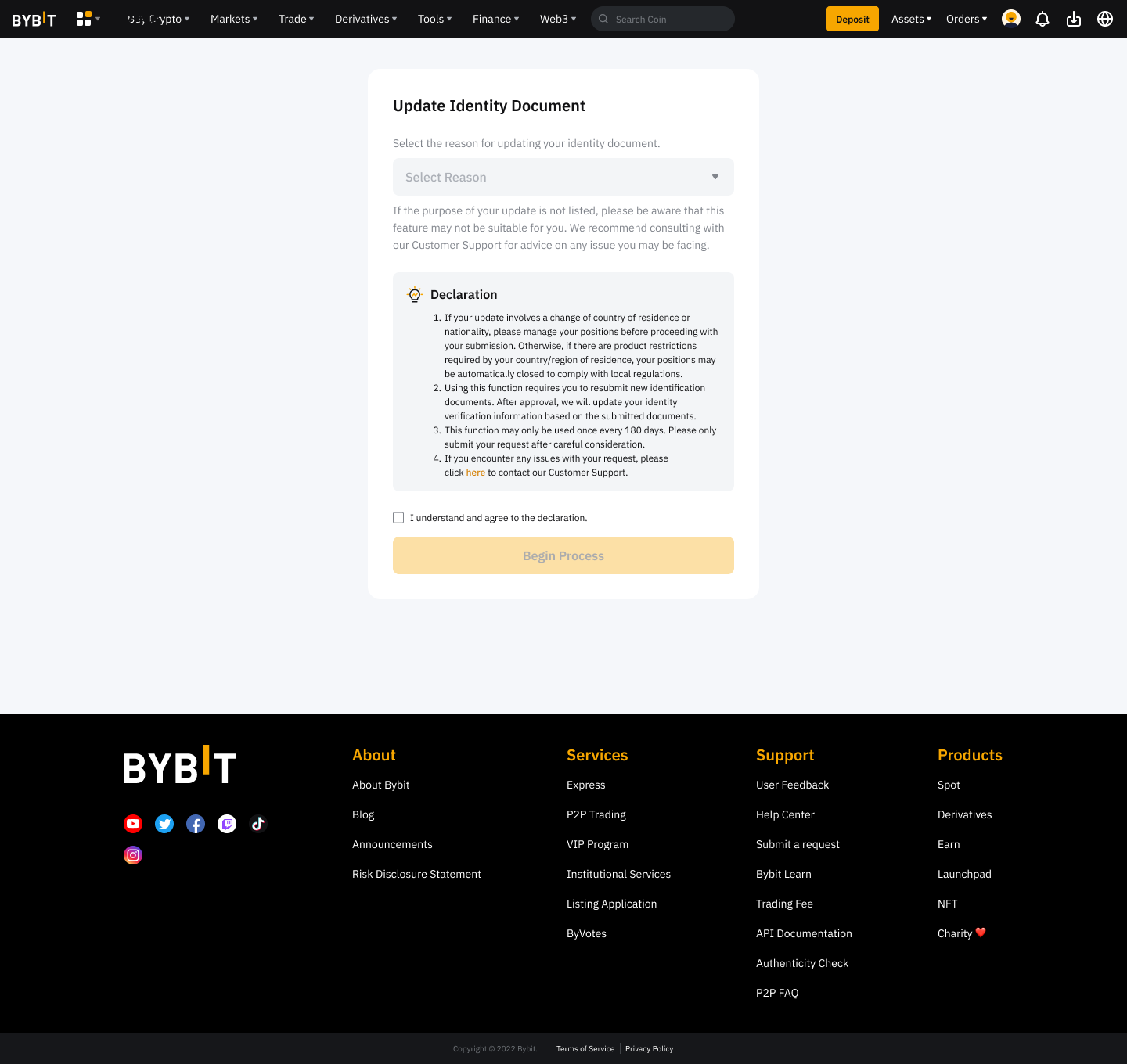
Step 3: Select the reason for updating your identity document. Read and acknowledge the disclaimer by ticking the checkbox, then tap Begin Process to proceed.
Step 4: Tap Confirm and follow the on-screen instructions to complete the verification process, including Security Authentication and Facial Verification.
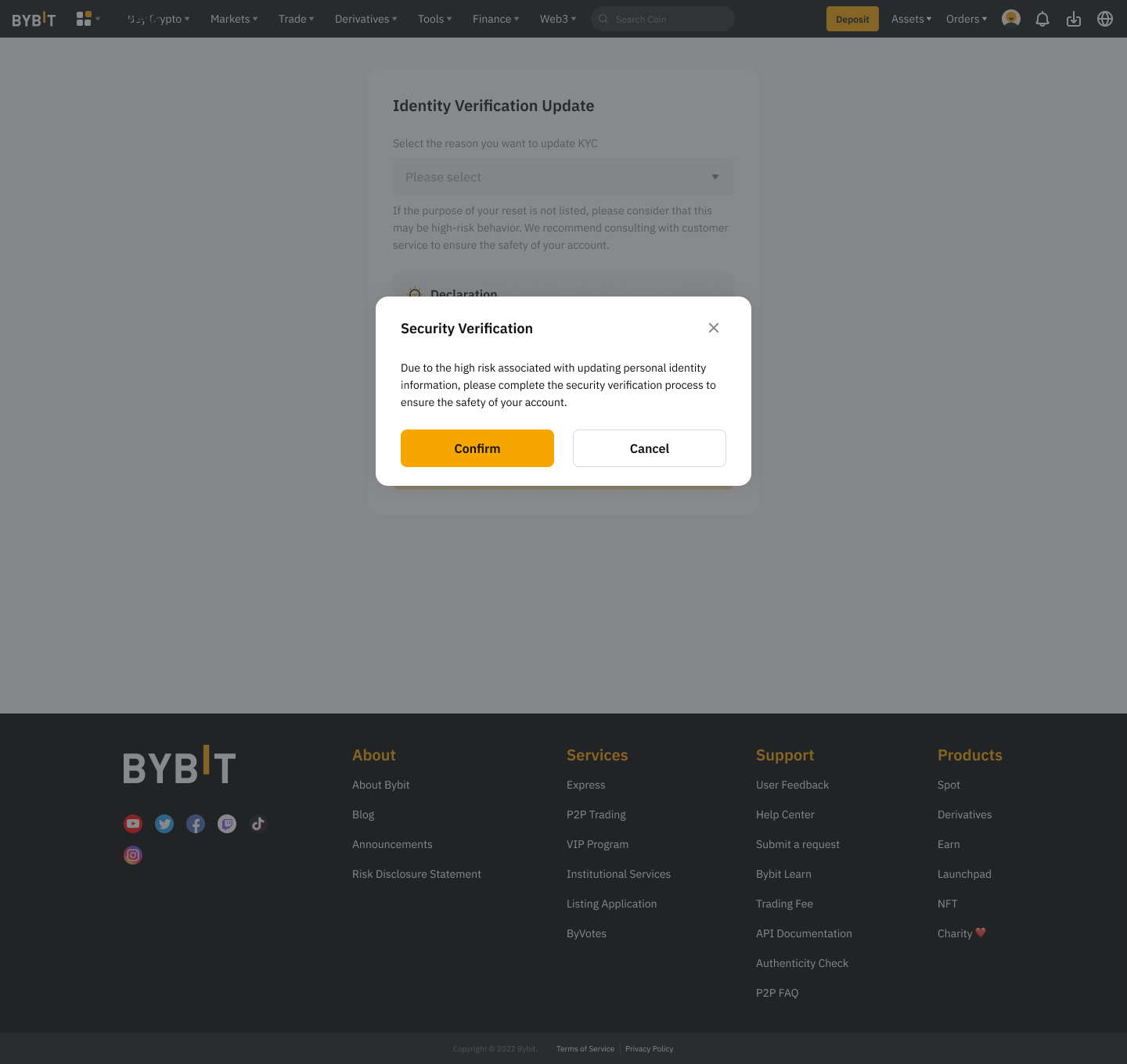
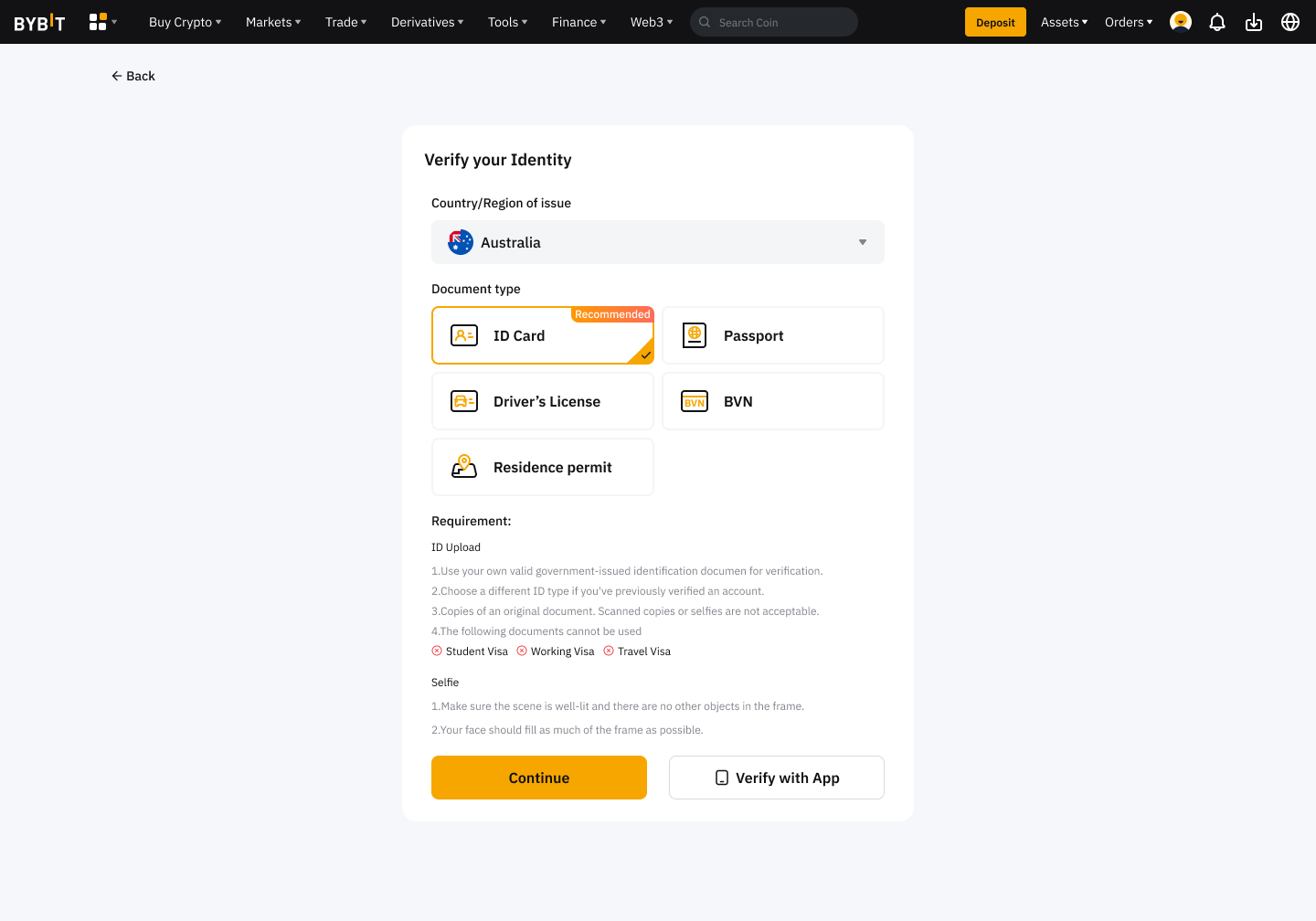
Step 5: Submit your updated Proof of Identity by completing the Standard Verification process as usual.
How to Update Your Proof of Address (POA)
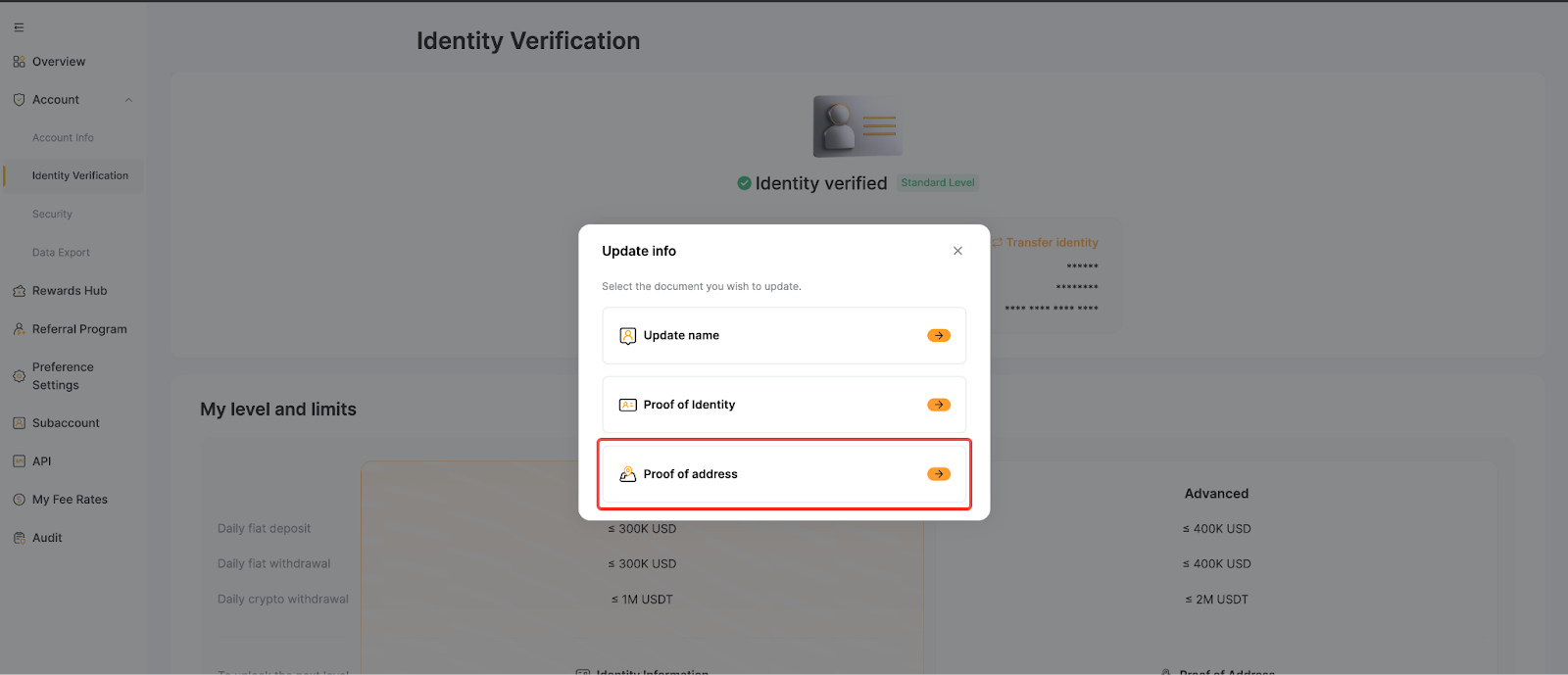
Step 1: Hover your cursor over your profile icon and click on Account. Next, select Identity Verification page and tap Update Info.
Step 2: Select Proof of Address.
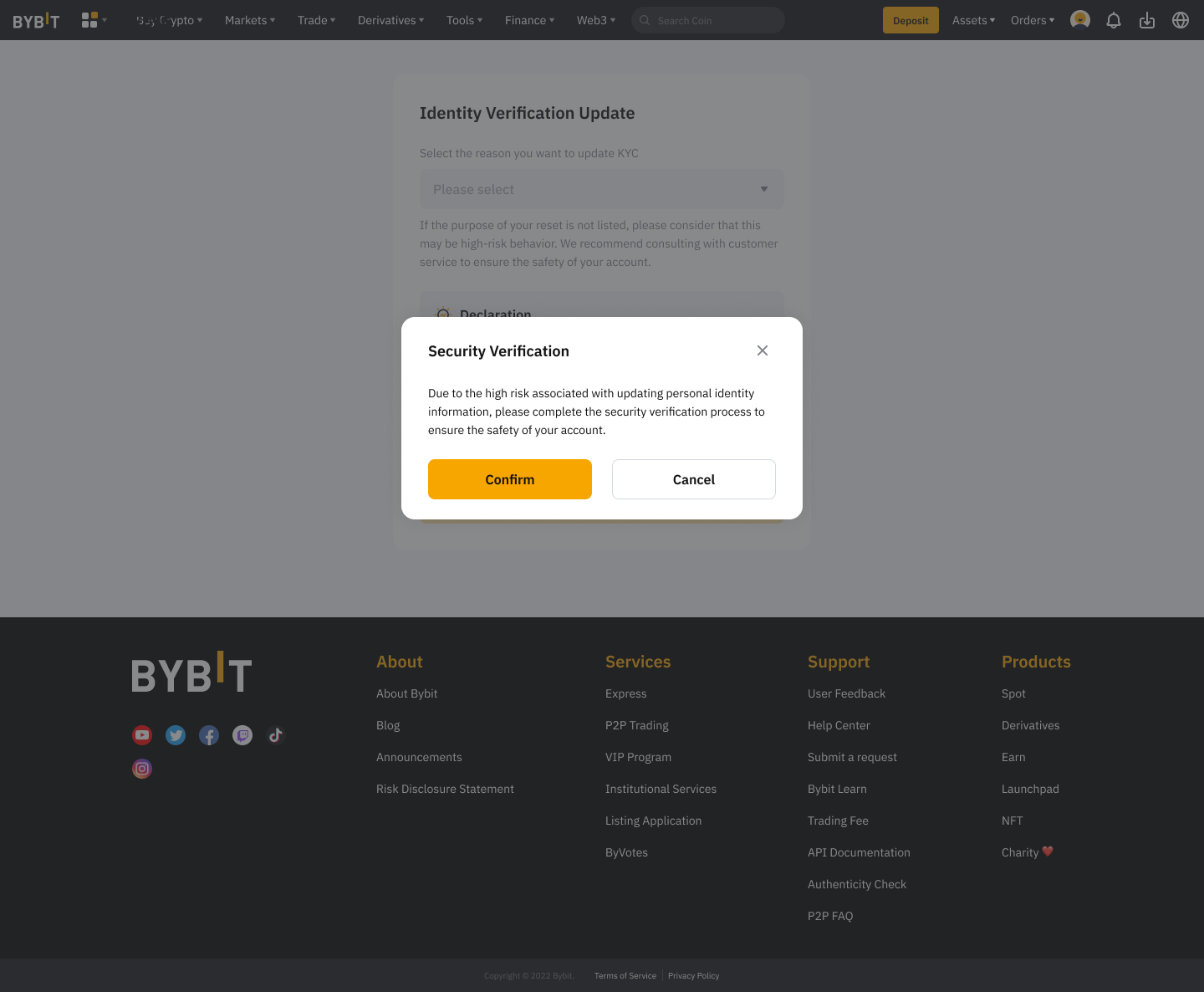
Step 3: Choose the reason for updating your address document. Read and acknowledge the disclaimer by ticking the checkbox, then tap Confirm to proceed.
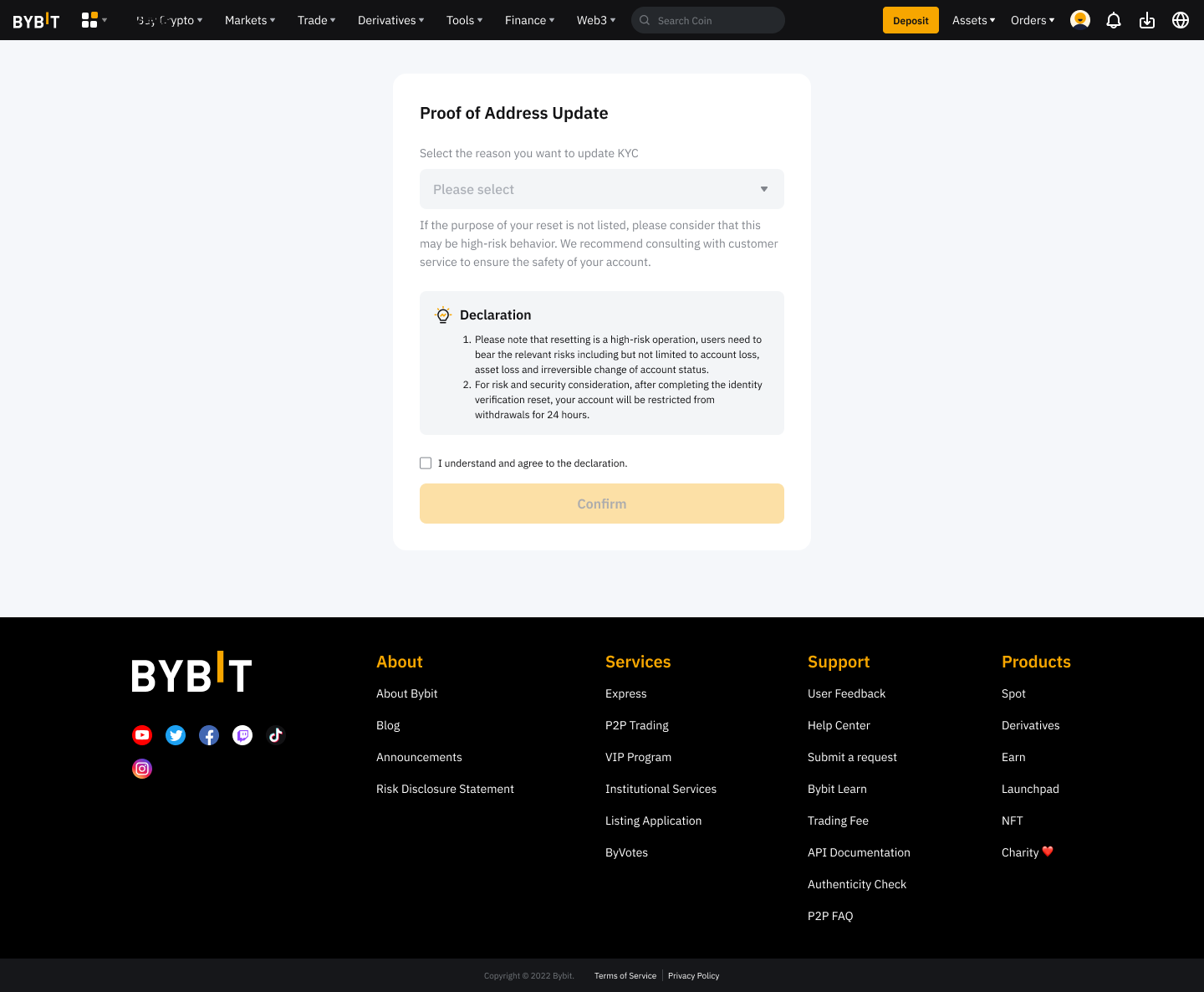
Step 4: Tap Confirm and follow the on-screen instructions to complete the verification process, including Security Authentication.
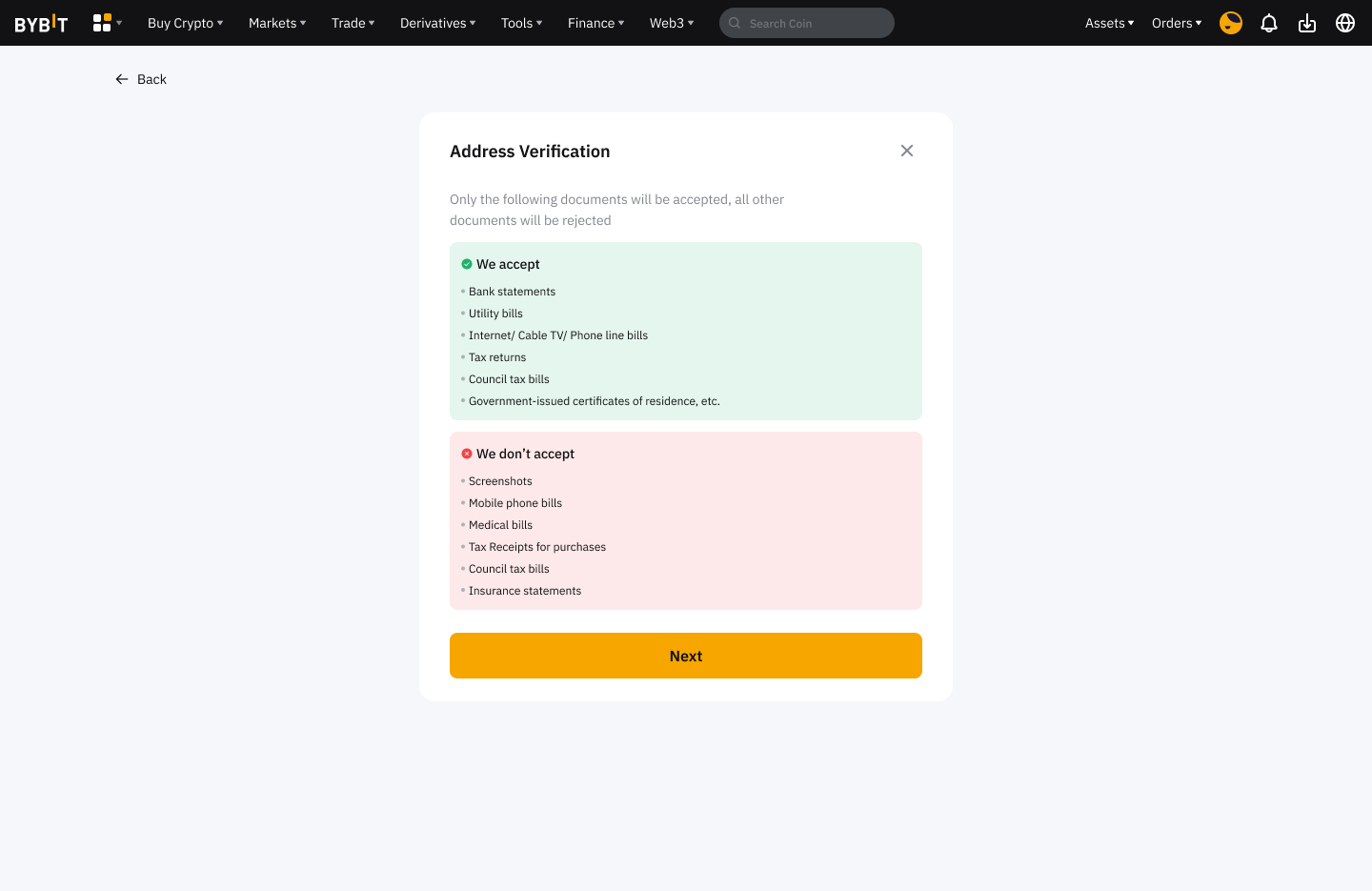
Step 5: Tap Next to submit your updated Proof of Address by completing the Advanced Verification process as usual.
Notes:
- The update process takes approximately 15 minutes.
- Please ensure all information and documents provided are accurate and valid to avoid verification delays.
- You can only update your Proof of Address after completing your Advanced Verification.
- After updating your Proof of Identity (POI) or Proof of Address (POA), you must wait 180 days before submitting another update request.