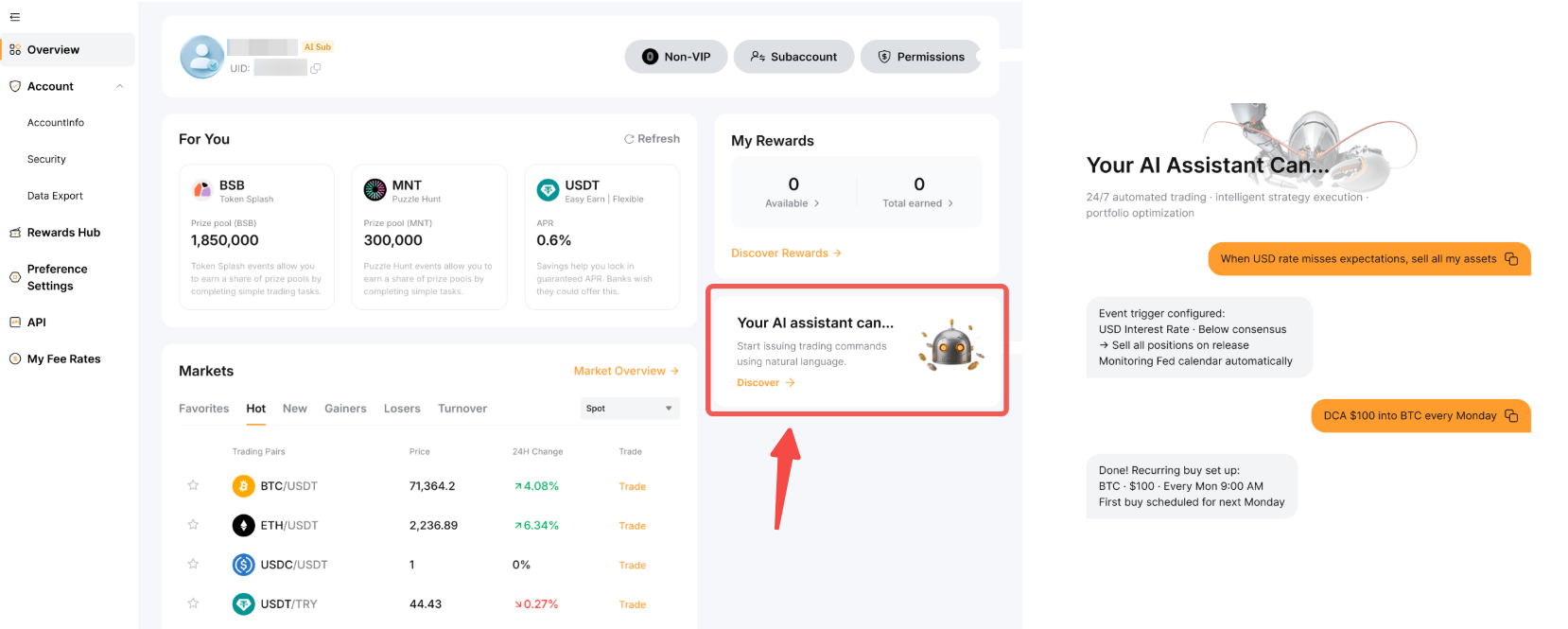
Here’s the step-by-step guide to create and set up the AI Subaccount.
Create and Set Up an AI Subaccount
Step 1: Go to the Subaccount page and click on Create Subaccount to create a new AI Subaccount.
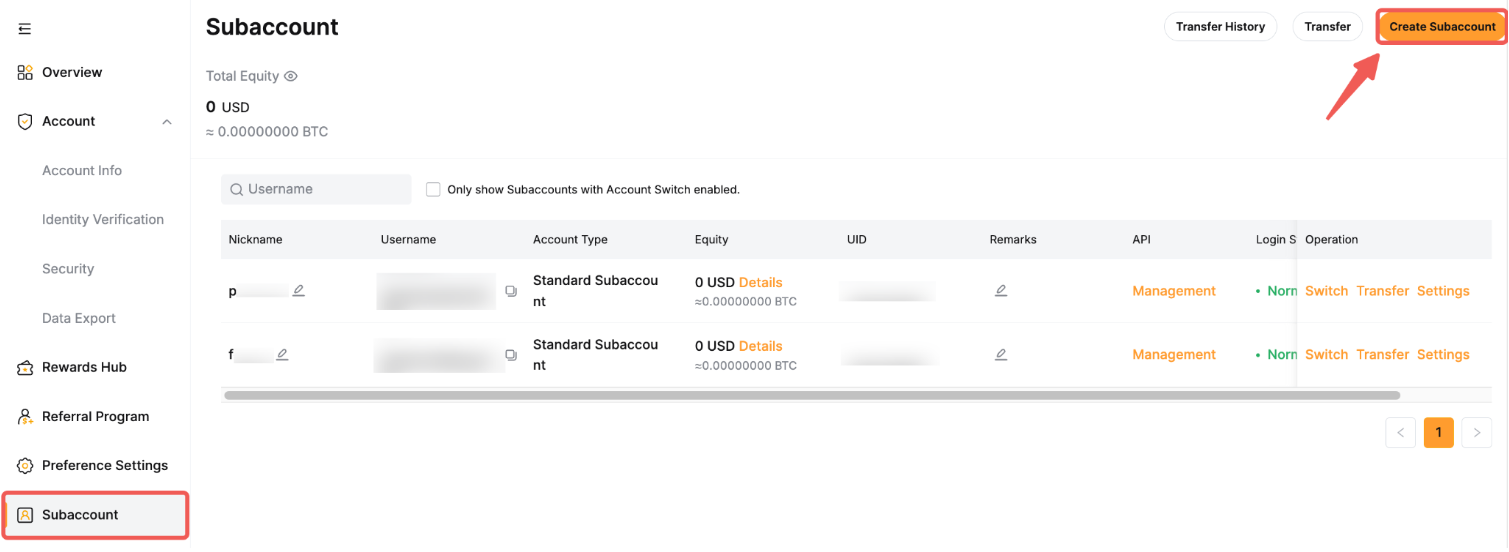
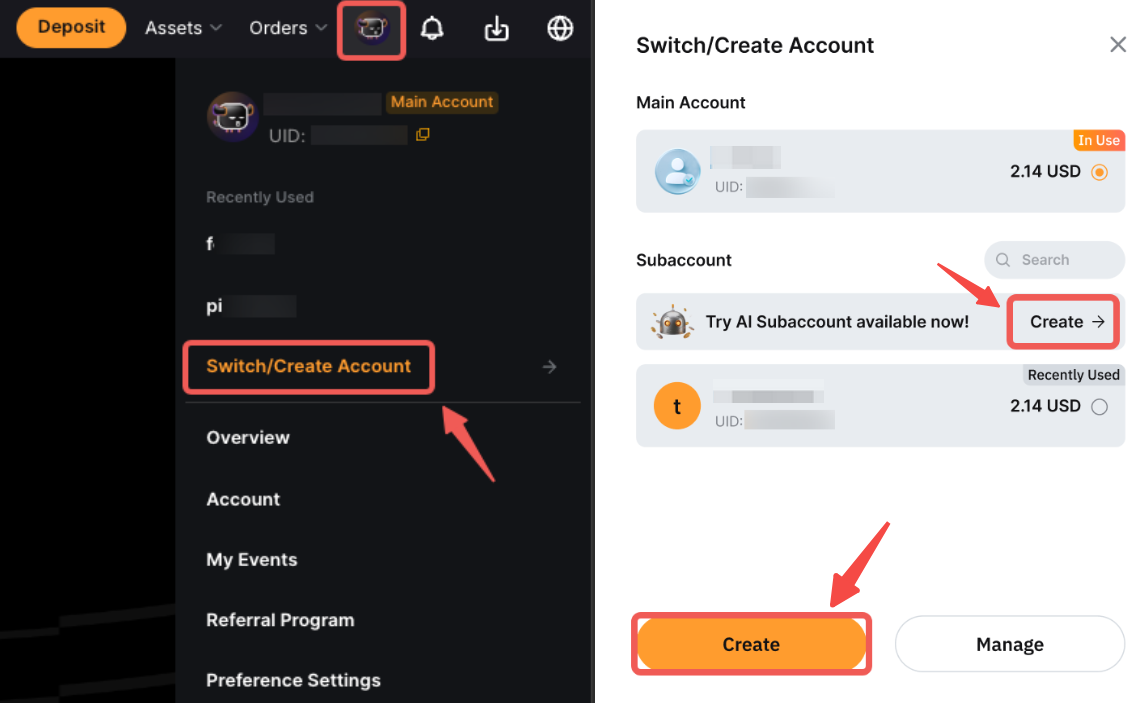
You can also create a subaccount using the Account Switch entrance. To create an AI subaccount, simply click on Create under Try AI Subaccount.
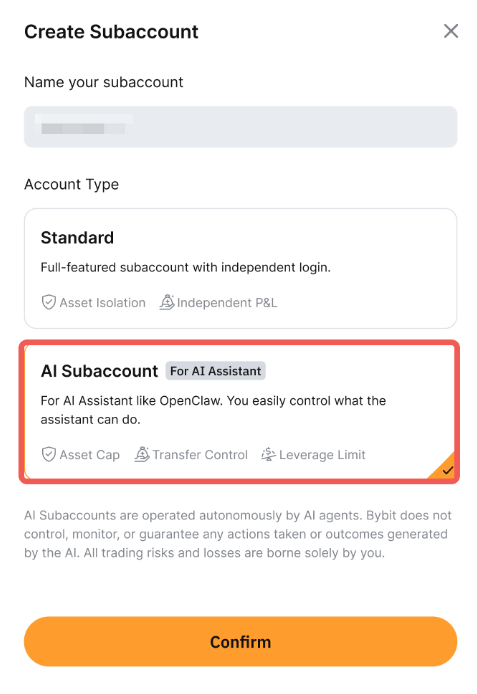
Step 2: Enter the subaccount name and select AI Subaccount, then click on Confirm.
Step 3: Complete the security verification.
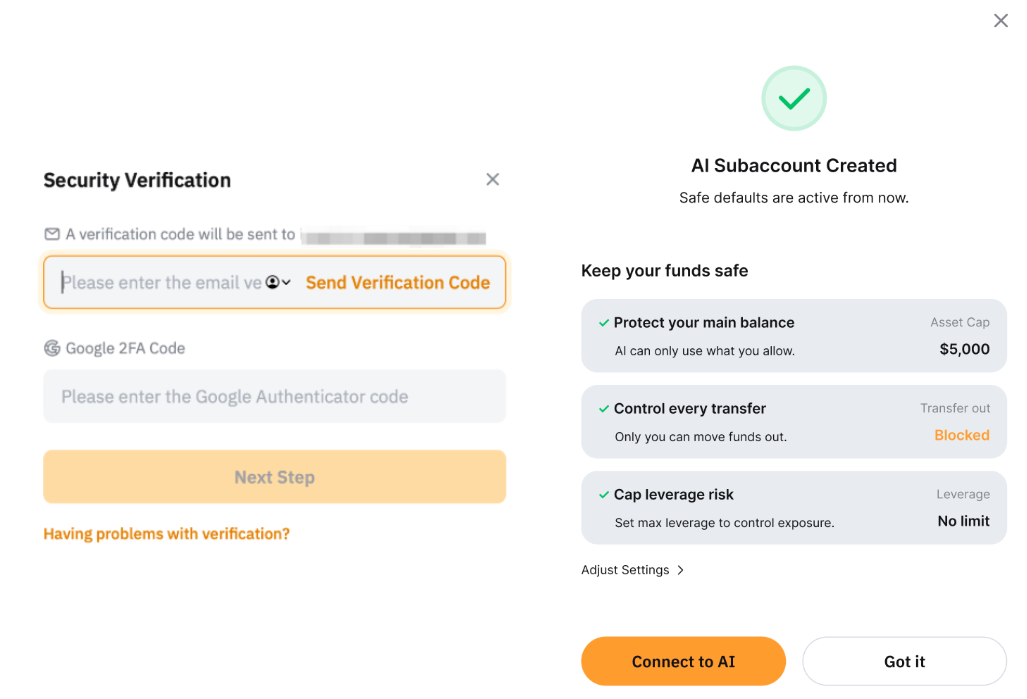
Your AI Subaccount is successfully created!
Set Up Your AI Subaccount
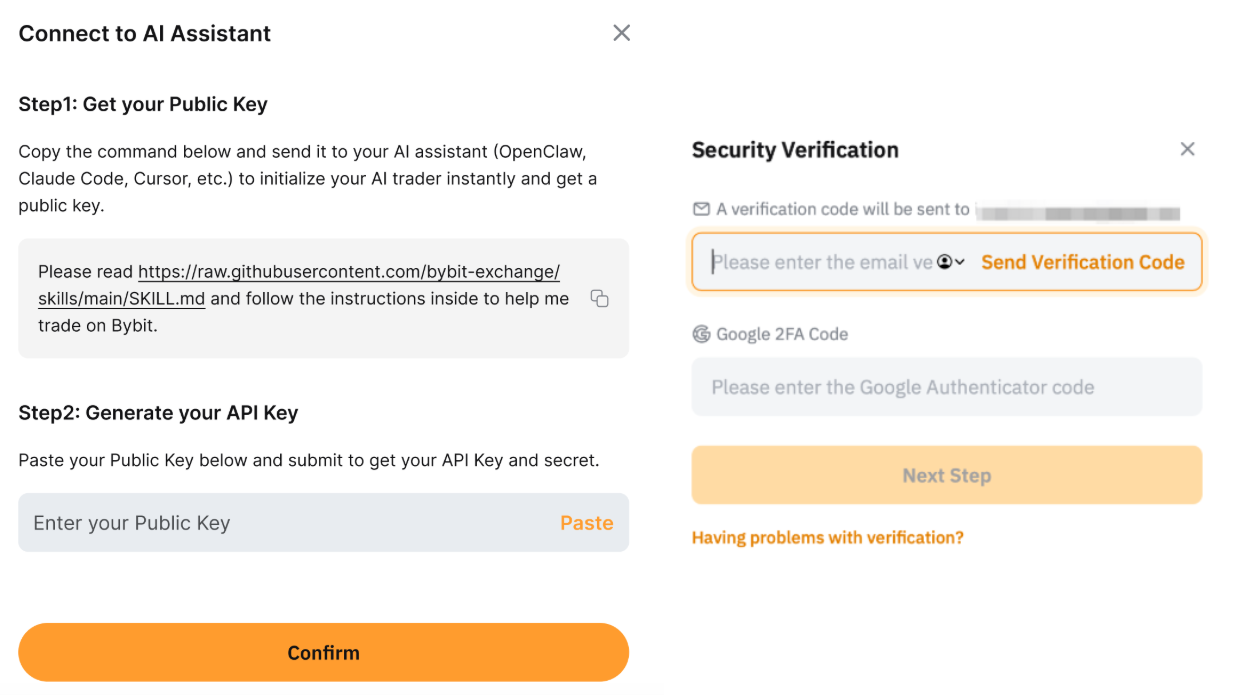
After creating the AI Subaccount, you can connect it to the AI Assistant by following the instructions in the pop-up window.
Get your Public Key by copying the command indicated and sending it to your AI Assistant, e.g, Open Claw, Claude Code, Cursor, etc. Once done, you can generate your API Key by pasting the Public Key to retrieve your API Key and secret.
Once done, click on Confirm and complete the security verification.
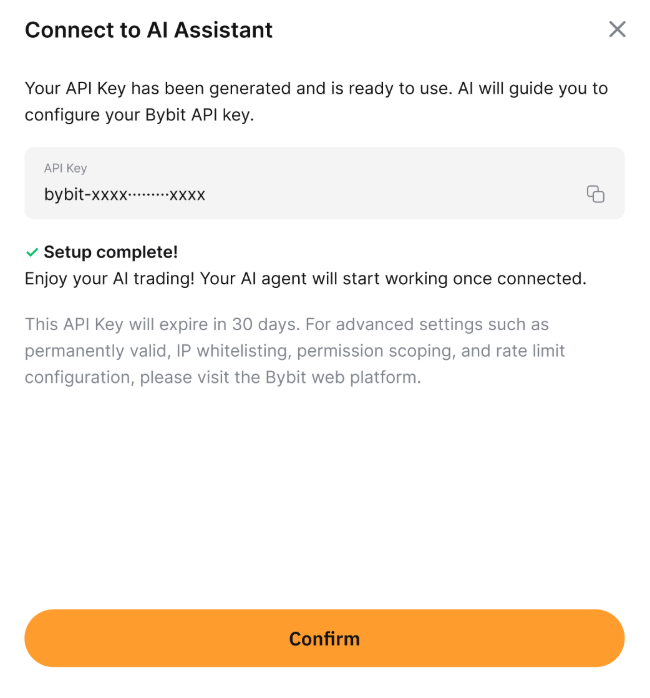
The setup has been completed! Your API Key has been generated and is ready to use. Please follow your AI Assistant’s guide to configure your Bybit API Key.
Manage Permissions
After setting up your AI Subaccount, you can manage its permissions. To safeguard your account and API access, please switch to your main account to configure these settings.
Go to the Subaccount Management page, find your AI subaccount and click on Settings → Permissions to manage the permissions for your AI Subaccount.
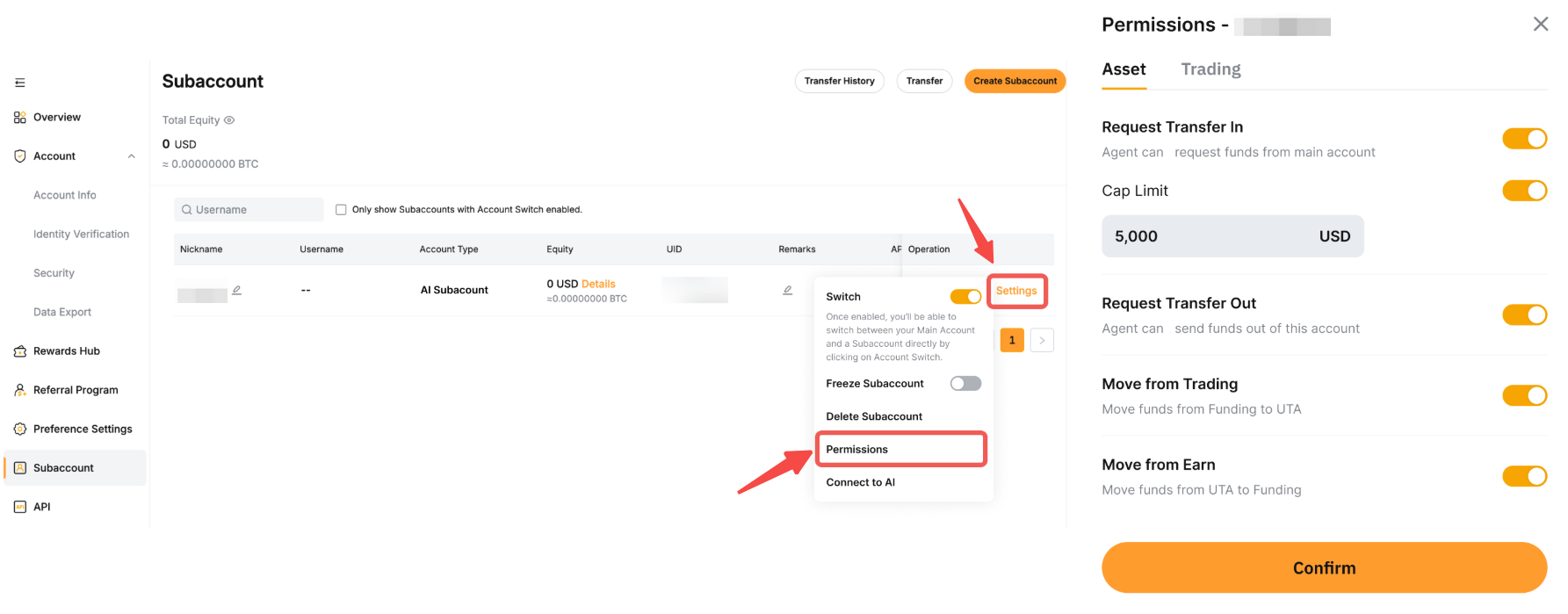
The table below outlines the function of each permission after it is enabled.
You are all set! Click on “Your AI Assistant can…” to view examples of trading commands you can use with your AI Assistant.