
A Depository Trust Company (DTC) transfer lets you move eligible U.S. stocks from another broker to your Bybit Stocks account without selling them. It moves your existing holdings between brokerage accounts; no trade is placed.
You can submit and track your transfer request in the Bybit app. Alpaca Securities LLC (Alpaca Clearing) provides clearing, settlement, and custody services for U.S. securities held through Bybit Stocks.
Before You Start
- Make sure your Bybit Stocks account is active and eligible to receive stock transfers.
- Check that the name on your account with the transferring broker matches the name on your Bybit Stocks account.
- Only whole shares can be transferred. Fractional shares are not supported.
- Check which stocks you can select on the Stock Transfer page. A stock may be available for trading but not for transfer.
- Have your transferring broker’s name, DTC participant number, and your account number ready. Verify these details with your broker before submitting the request.
Fees and Processing Time
Transfer fees depend on Bybit’s current policy and any charges imposed by your transferring broker. Please check the latest fee information on both platforms before submitting your request.
Transfers may take at least 14 business days, but the actual time may vary depending on both brokers, stock eligibility, document review, market holidays, corporate actions, and any corrections required.
How to Submit a Stock Transfer
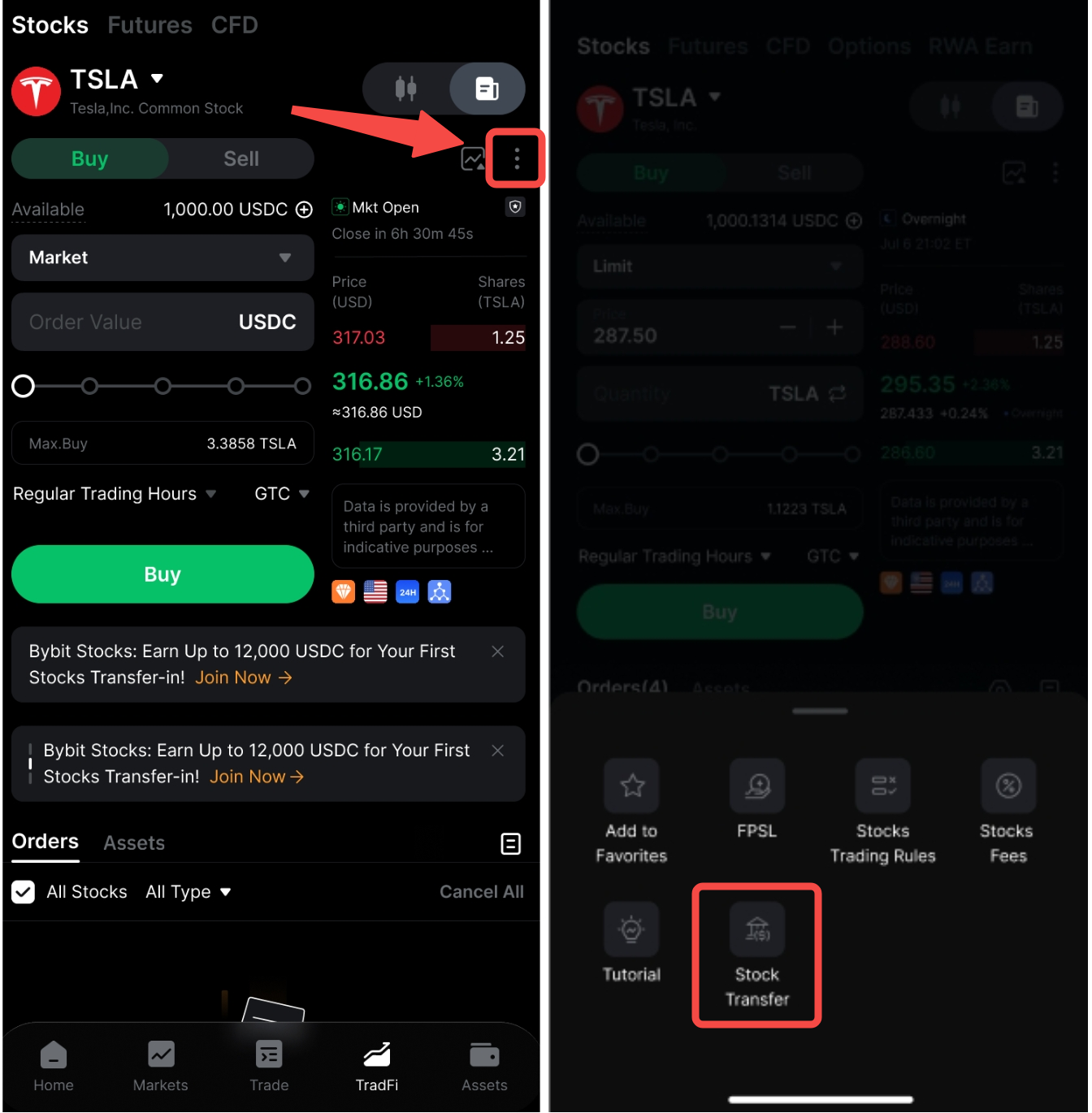
Step 1: Open the Bybit app and go to TradFi → Stocks. Select a stock to open its trading page, tap the three-dot menu in the upper-right corner to open Settings, then select Stock Transfer.
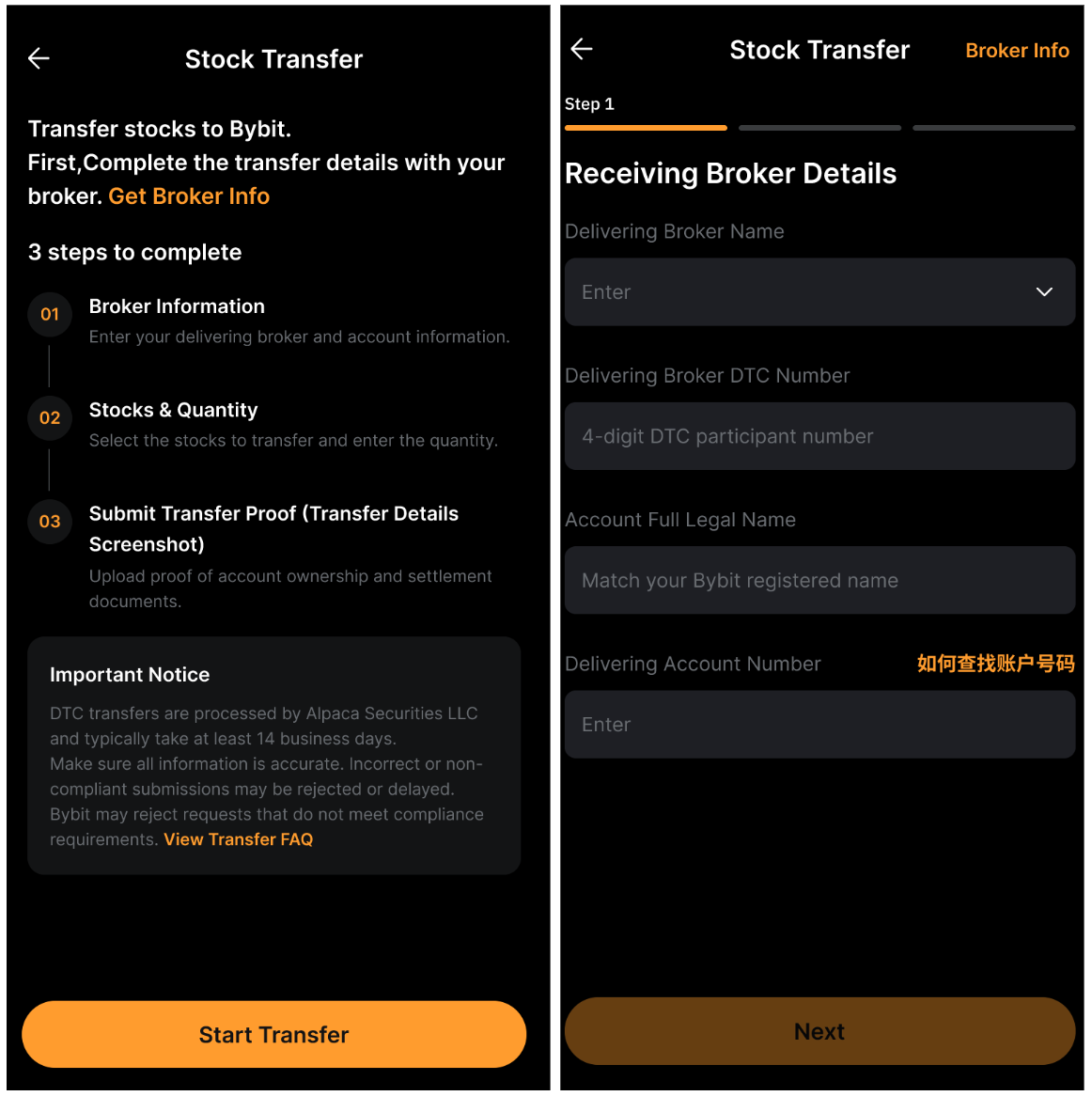
Step 2: Enter your current broker’s name, DTC participant number, and your account number with that broker. Tap Broker Info in the upper-right corner to check the broker details.
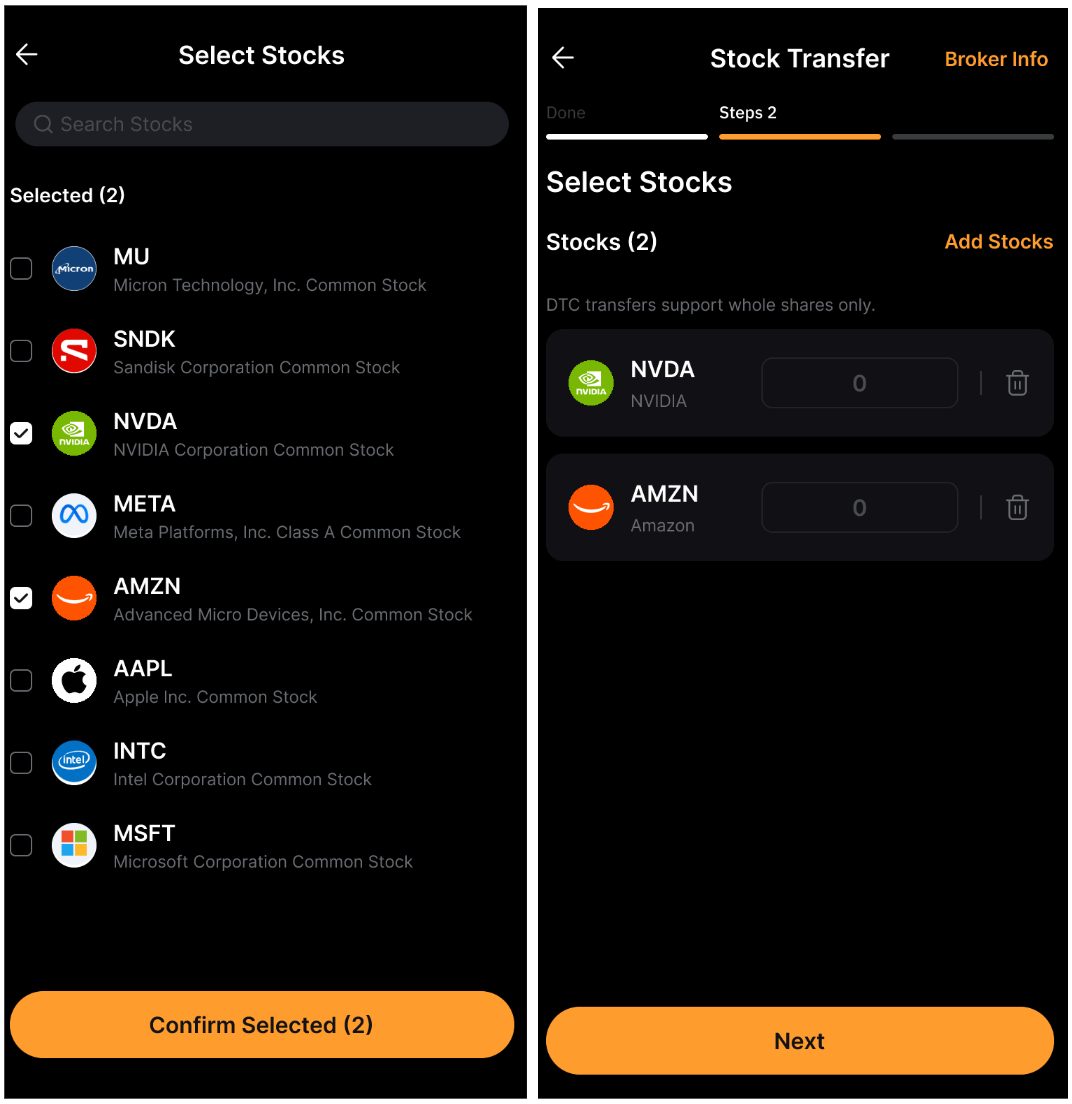
Step 3: Select the eligible stocks shown on the page and enter the number of whole shares you want to transfer. Fractional shares are not supported.
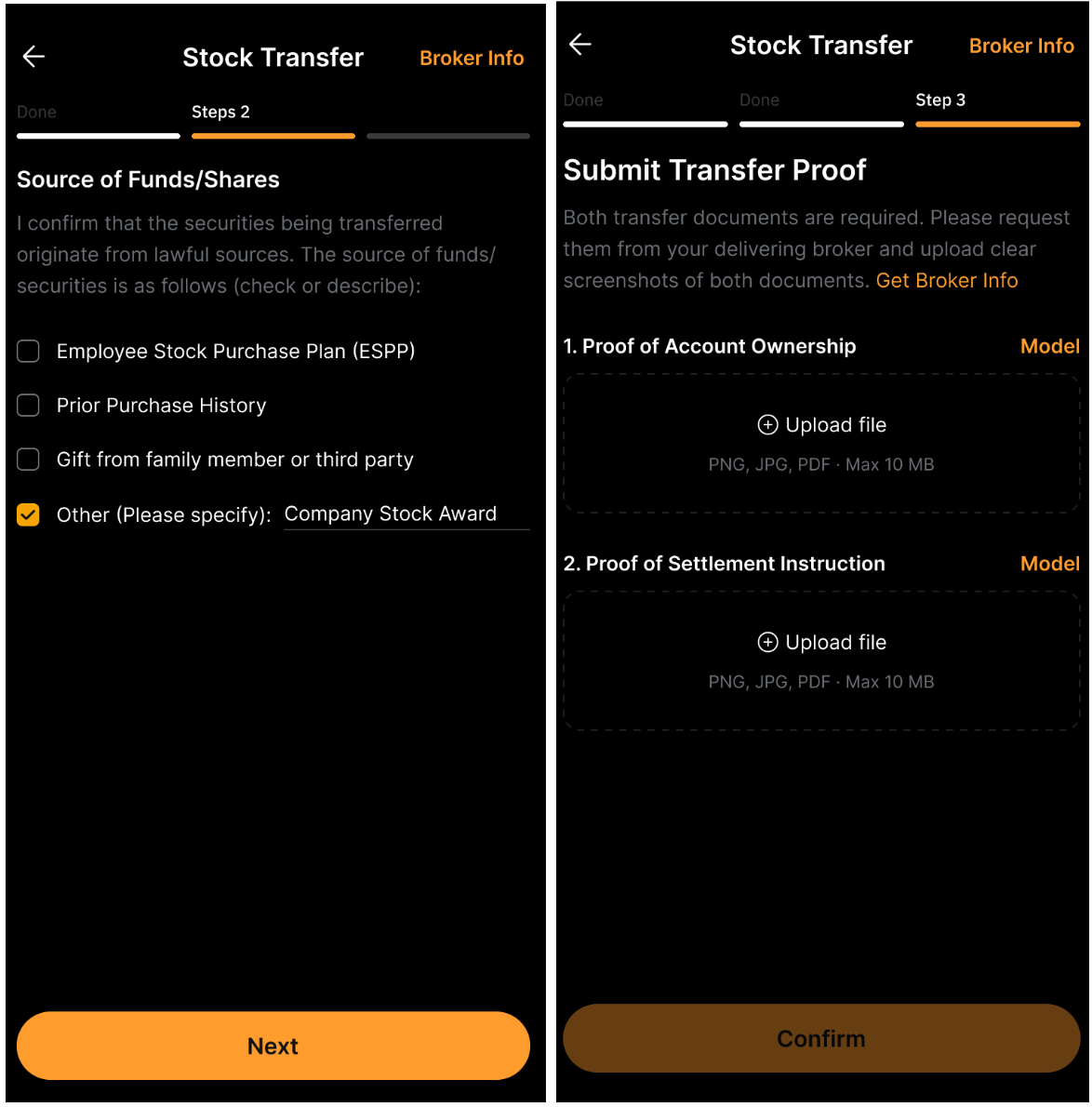
Step 4: Provide the required documents: Proof of Account Ownership, Proof of Settlement Instruction, and Identity Verification.
Step 5: Check the account names, broker details, stock symbols, share quantities, and transfer instructions carefully.
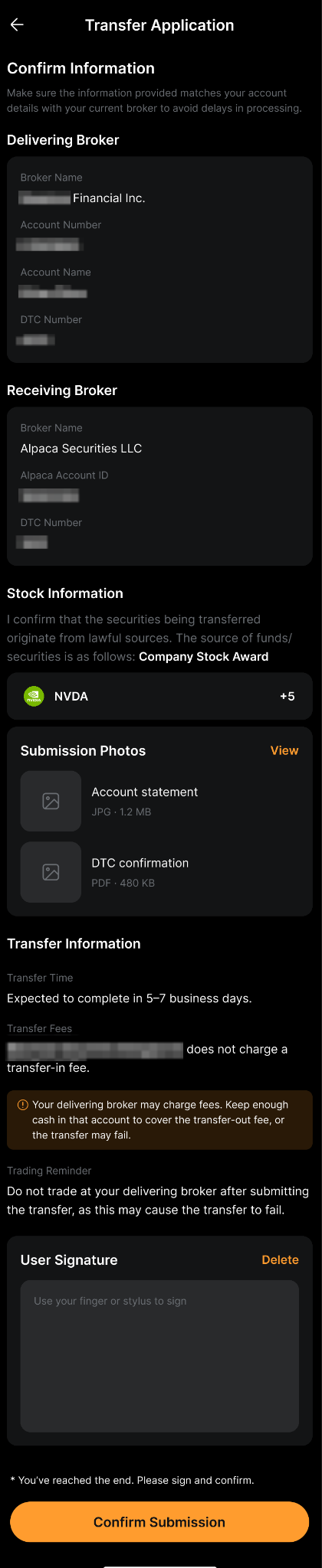
Step 6: Add your signature and tap Confirm to submit your request.
You can track your request under Stock Transfer on the Stocks page. Keep your confirmation details in case you need help with the transfer.
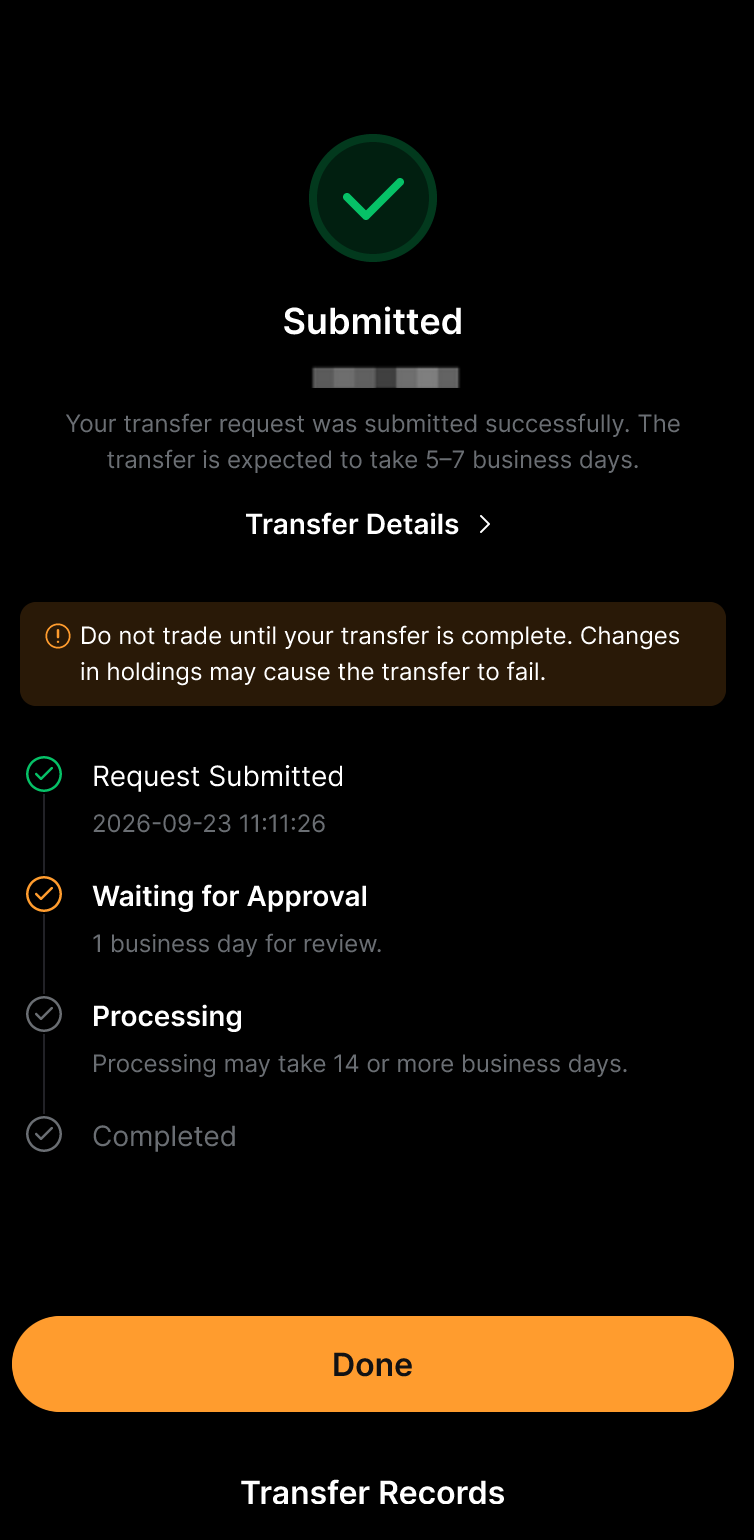
Note: After submitting your transfer request, do not trade the shares included in the request at the transferring broker until the transfer is complete. Doing so may cause the transfer to fail.
Why transfers are rejected or delayed
- Account mismatch. A name, account number, or ownership mismatch may stop a transfer.
- Asset or quantity issue. The current asset and position rules determine whether a request can proceed.
- Instruction, document, or fee issue. Missing or incorrect information may delay or stop delivery.
Important Notes
Submitting a DTC transfer request does not guarantee completion. Both the transferring broker and Alpaca Clearing must be able to process the request. Once the transfer is complete, check the shares and quantities credited to your Bybit Stocks account, along with any cost-basis information shown, before trading the transferred shares.
Disclaimer
Bybit Stocks service is provided by Infra Capital Limited (introducing broker), regulated by the Financial Services Commission, Mauritius (GB23202169). US securities clearing, settlement and custody services are provided by Alpaca Securities LLC (dba "Alpaca Clearing"), a FINRA/SIPC member. Some corporate actions may be restricted at this time. Access and ownership are subject to the Bybit Stocks Terms & Conditions. Capital at risk - you may get back less than you invested. Please read the Risk Disclosures before investing.